


A customer can read an email, visit a store three days later and buy at the register without leaving an online conversion. The sale appears in the point of sale system. The email platform sees engagement. Unless those records connect, the customer journey remains incomplete.
Email attribution for walk-in locations requires evidence of an offline event and a way to connect that event with a campaign. Customer IDs, loyalty accounts and scanned codes can provide that connection. Online booking is optional.
The quality of the result depends on what you observe. A verified check-in supports a visit claim. An identified transaction supports a purchase claim. A location model provides an estimate. These outcomes need separate reporting.
Why Walk-In Visits Are Difficult to Attribute
Online conversion tracking usually records a website action through a tag or server event. Offline conversion tracking needs information from another system, such as a register or staff check-in tool.
Several gaps make tracking walk-in visits harder:
- No digital completion event: The customer never submits a booking form or completes online checkout.
- Time between engagement and attendance: Someone may click on Monday and visit on Friday.
- Missing identity at POS: A receipt can contain products and payment details without a usable customer ID.
- Anonymous attendance: Visitors who browse without identifying themselves leave no profile-level event.
- Competing marketing interactions: Search ads, social posts and earlier purchases may also influence the decision.
An email click proves that a tracked link was requested. It does not prove attendance. Security tools can also generate clicks, while Apple Mail Privacy Protection can inflate recorded opens through tracking-pixel prefetching. Filter these signals where the platform supports it.
A rise in daily sales after a campaign is useful context. By itself, it does not identify which customers visited because of that message.
What Is Email Attribution for Walk-In Visits?
Email attribution assigns credit to an email interaction or campaign under a defined reporting rule. Offline attribution applies that process to outcomes outside a website or app.
Walk-in visit attribution concerns physical attendance without a prior booking. Store visit attribution is broader and may include visits associated with advertising or other channels. Online-to-offline attribution connects a digital interaction with a later physical outcome.
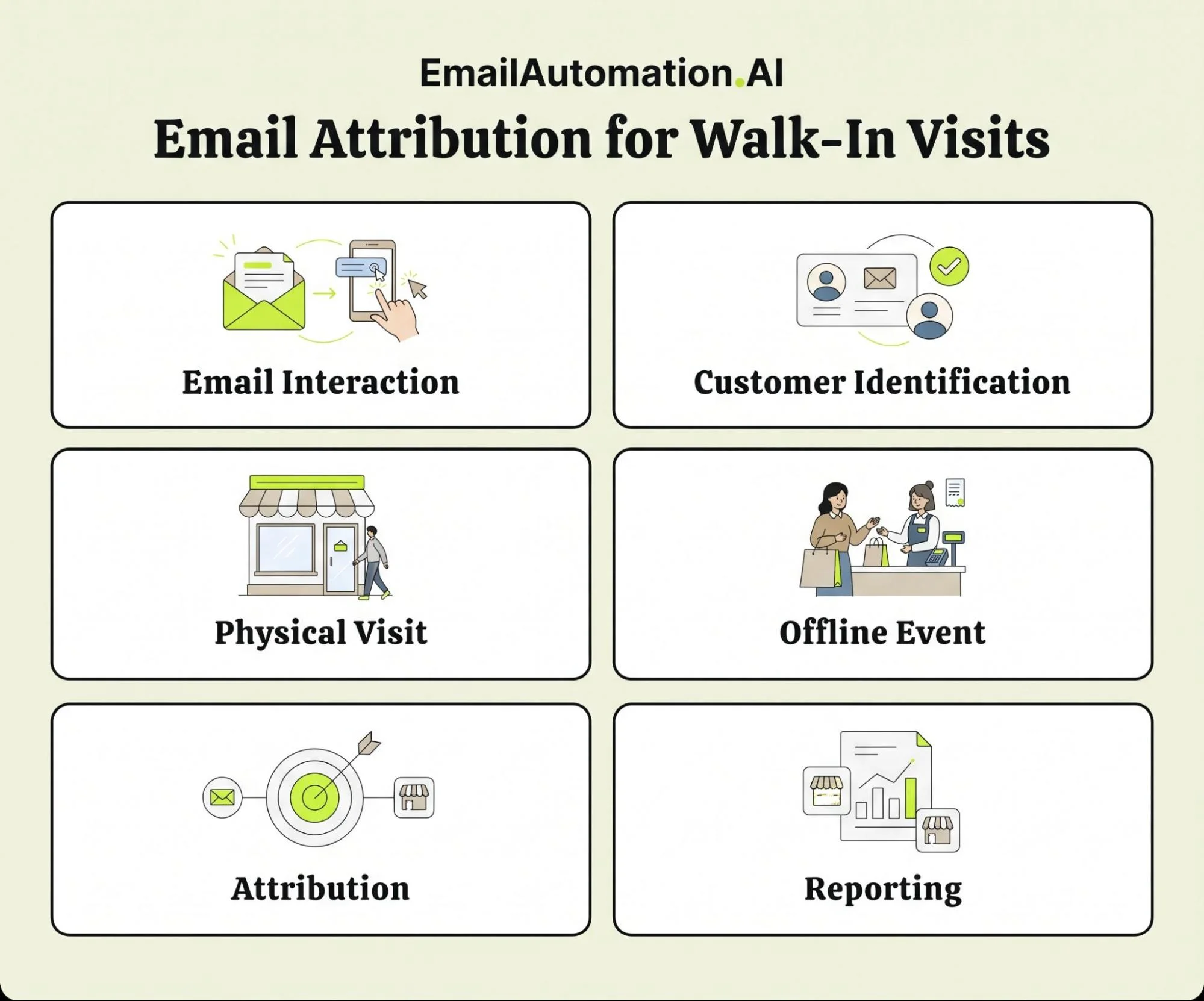
The basic sequence is:
Email interaction → Customer identification → Physical visit → Offline event → Attribution → Reporting
Identification may happen before the visit through an existing loyalty account or during the visit through a scan or customer lookup.
Three distinctions help teams interpret the results:
| Measurement approach | What it establishes | Main limitation |
|---|---|---|
| Identity-based attribution | An observed offline event is connected to a known profile and eligible marketing activity | Captures only events with usable identity and tracking |
| Modeled store visits | A platform estimates visits from available signals and statistical methods | Does not provide a complete list of verified individual visitors |
| Aggregate measurement | Counts or summarizes outcomes at location or campaign level | Totals may be observed or modeled and may lack customer identities |
“Aggregate” describes how data is reported. “Modeled” describes how it is estimated. A dashboard can aggregate verified customer events without modeling them.
Identity matching also does not prove causation. Attribution assigns credit according to rules. A controlled experiment is needed to estimate how many additional visits the email caused.
Traditional Ways to Measure Offline Visits
Location-Based Store Visit Attribution
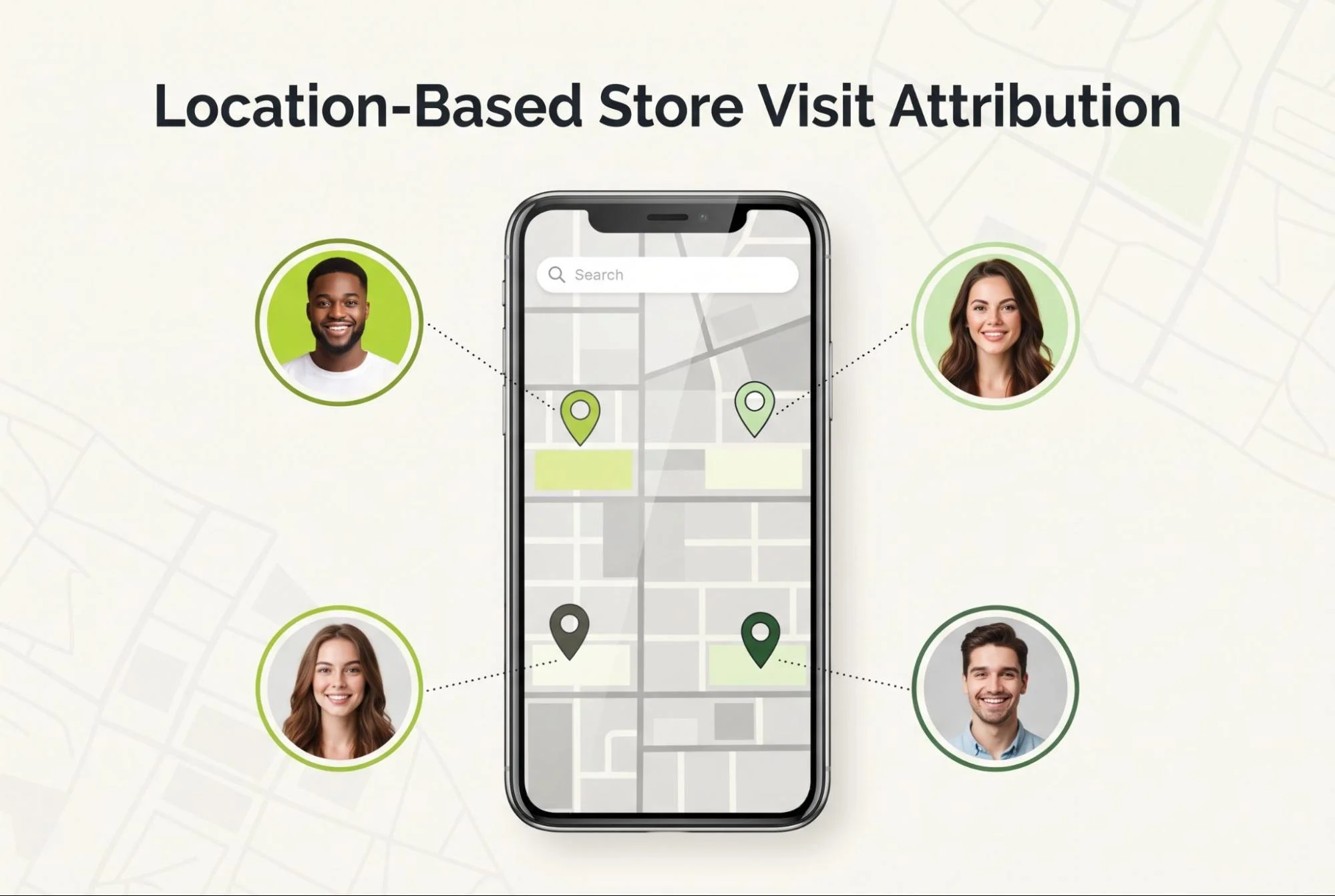
Some advertising platforms and specialist measurement providers estimate visits using permitted location signals and statistical models. Their coverage depends on eligible users, locations and sufficient data.
Google Ads store visit conversions use anonymized, aggregated information and modeling to estimate visits after eligible ad interactions. Availability depends on eligibility requirements and privacy thresholds. These reports measure advertising outcomes rather than individual email-recipient attendance.
Do not assume that every location vendor uses the same identity matching process. Ask what its signals establish, which population it covers and how it handles neighboring stores or shared premises.
POS and CRM Integrations
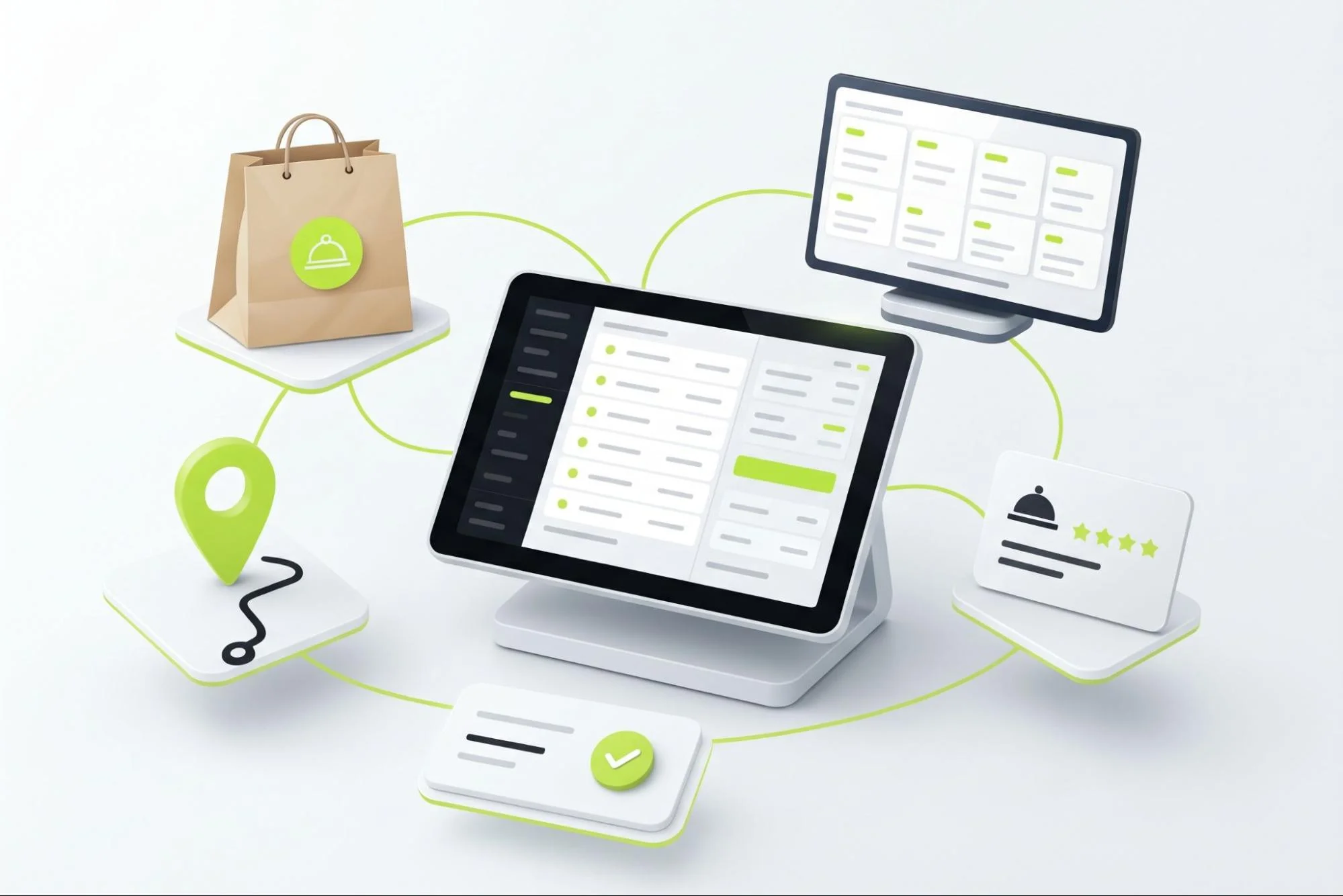
A point of sale system records transactions. A customer relationship management system stores customer records and interactions. Connecting the two can place an offline purchase in the same profile as email activity.
The join requires a shared identifier or a reliable mapping. For example, POS customer ID P-284 may map to CRM customer ID C-917.
A POS integration does not automatically identify anonymous orders. It also misses visitors who leave without buying. Record check-ins separately if nonpurchase attendance matters.
Guest Wi-Fi Tracking
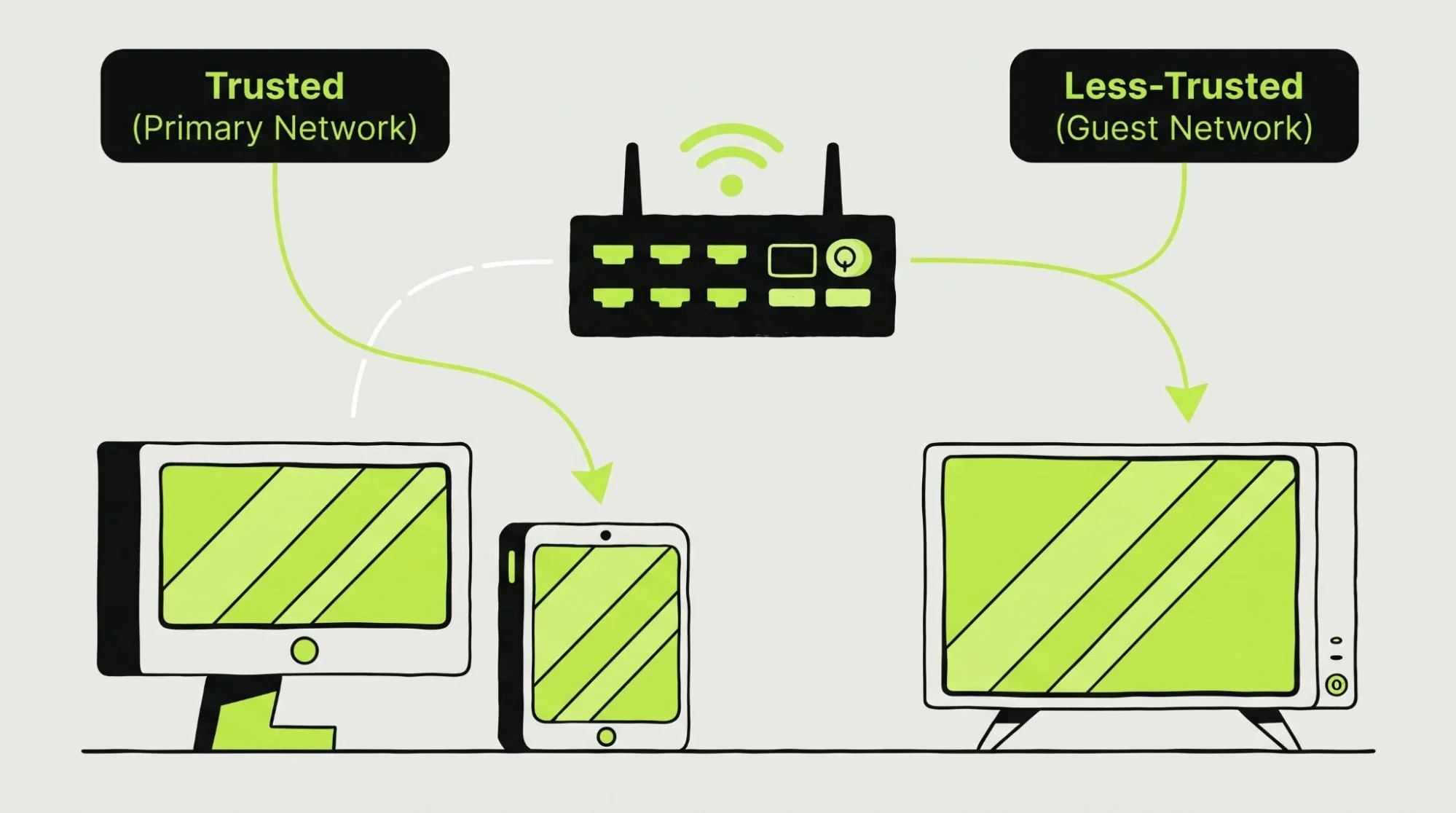
A guest Wi-Fi portal can collect an email address or loyalty login when a visitor chooses to connect. The resulting session may support a presence event that can be matched to a customer profile.
Participation varies. Shared devices, incorrect email addresses and connections outside the premises can weaken the evidence. Reconnecting to Wi-Fi should not automatically create another visit.
Use guest Wi-Fi as a supplementary source. Explain the data use and keep marketing subscription choices separate from basic network access.
The Role of Customer Identification in Walk-In Attribution
The key connection is usually first-party customer data: information the business collects through its own customer interactions.
Useful identifiers include:
- A stable customer ID used across internal systems.
- An email address associated with a CRM profile.
- A loyalty account linked to purchases and check-ins.
- A POS customer record with an established CRM mapping.
A customer data platform, or CDP, can combine records from several sources. Identity resolution is the process of deciding which records belong to the same customer.
For individual attribution, start with deterministic matches: explicit account links or confirmed shared identifiers. Treat approximate matches as a separate confidence category.
Shared email addresses and recycled phone numbers can create false matches. Define how your system handles these cases instead of merging every similar record.
There is a practical difference between these statements:
- “More people visited this store.” This describes a location-level outcome.
- “This customer's recorded visit followed an eligible email interaction.” This describes a profile-level association.
Only the second supports customer-specific follow-up. Neither statement alone establishes incremental visits caused by email.
Keep identification separate from subscription permission. A customer who provides an email for a receipt has not necessarily agreed to promotional messages.
How QR Codes and Barcodes Can Track Walk-In Visits
Unique QR Codes in Email
A recipient-specific QR code can contain an opaque token that maps to a customer and campaign in your database.
For example, token T-7K29 might resolve to customer C-917, campaign SPRING-04 and message M-582. The code does not need to expose the customer's email address.
A shared campaign QR code identifies the campaign but cannot distinguish recipients without another identification step.
The scan location matters. If someone scans an emailed code at home, the resulting website request is digital engagement. To verify attendance, require an authenticated staff scan, POS redemption or another controlled in-store confirmation.
Barcode-Based Attribution
Customer-specific barcodes can support identification at a register. A compatible scanner reads the code and passes its value to POS software or a staff application.
Check hardware and software separately. A scanner that reads product barcodes may need configuration to accept customer tokens. Screen brightness, barcode size and supported symbology also affect reliability.
A permanent loyalty barcode identifies the account. It does not identify the email campaign by itself. Campaign credit must come from a separate redemption record or the profile's eligible marketing history.
Connecting the Scan Back to the Customer Profile
A practical event record can include these fields:
| Field | Purpose |
|---|---|
| event_id | Prevents duplicate processing |
| event_type | Distinguishes check-in, scan, redemption and purchase |
| customer_id | Connects the event to a profile |
| campaign_id and message_id | Identifies campaign context where available |
| location_id | Records the actual store |
| occurred_at | Records when the activity happened |
| received_at | Shows ingestion delays |
| transaction_id | Links a purchase to its receipt |
| value and currency | Supports revenue reporting |
| verification_method | Describes the evidence behind the event |
The attribution window belongs in reporting configuration. Store the applied window and model with the attribution result so analysts can reproduce it.
Validate tokens server-side. Restrict staff tools by location and prevent image-loading requests or link previews from recording redemptions. A forwarded email can also transfer its code, so verify the loyalty account when stronger identity assurance is required.
The exact implementation depends on the email platform, scanning application and POS or CRM integration.
How to Route Customers to the Right Physical Location
Location-based segmentation makes messages relevant and reports easier to interpret.
A customer can select a preferred store through a profile form. Alternatively, the business can estimate the nearest location from an appropriately collected address or postal code. A store locator gives customers another way to choose.
Postal-code targeting is approximate. The nearest store may not be the preferred one, and an email IP address is a weak location signal.
Use stable store IDs across email, POS and analytics systems. Record both the promoted location and the actual visited location. A customer who receives an email for Store A may redeem it at Store B.
Location-specific campaigns should include current hours, address details and applicable offer conditions. Preserve attribution to the original message while reporting attendance at the actual venue.
Do You Need a Discount to Track Walk-In Visits?
A discount is optional. The business needs an identification or campaign-linking mechanism.
| Method | What it can connect | Practical limitation |
|---|---|---|
| Recipient-specific coupon | Recipient, campaign and recorded redemption | Shared coupons can weaken recipient identity |
| QR code without a discount | Customer and campaign when validated in store | A remote scan alone does not verify attendance |
| Loyalty identification | Customer and offline activity | Campaign attribution needs eligible touchpoints |
| Customer lookup at POS | Purchase and existing customer profile | Depends on accurate lookup and staff participation |
| Shared store campaign code | Campaign and redemption location | Needs another identifier for customer-level reporting |
| Identifiable product demonstration or service check-in | Customer and recorded attendance | Requires a check-in process |
Choose a process that fits the visit. A loyalty identification step may be natural at checkout. A service counter can record attendance before a purchase.
Avoid introducing a discount solely to create tracking data. Also consider whether requiring a scan adds friction that changes customer behavior.
Which Platforms Can Support Walk-In Attribution?
Platforms serve different roles. Some collect offline transactions. Others resolve customer identities, automate messages or report advertising conversions.
The comparison below describes supported building blocks. A connector or event API does not guarantee a complete email-to-store attribution report.
| Platform or technology | Relevant capability | Attribution boundary |
|---|---|---|
| Bloomreach Engagement / Loomi | Documents location-aware campaigns with barcode and QR variants, preferred-store selection and redemption tracking back to profiles | Requires scanning and event integration appropriate to the business. |
| Google Ads | Modeled store visit conversions for eligible accounts and offline conversion import tools | Measures eligible ad outcomes. It does not independently credit email campaigns. |
| Google Analytics 4 | Measurement Protocol accepts server-side and offline events alongside web or app collection | Identifiers and timing requirements matter. Sending a POS event does not automatically restore an earlier email session's attribution. |
| Google Business Profile | Reports interactions such as website clicks, calls and direction requests | These indicate interest. They do not establish verified walk-ins from email. |
| Meta | Conversions API supports sending offline events for advertising measurement | Needs event and customer-matching data. Its ad reporting is separate from first-party email attribution. |
| HubSpot | Custom events can support reporting and workflows, with attribution features depending on subscription and setup | An imported check-in still needs contact association. Standard contact, deal and revenue attribution reports are not automatically visit-attribution reports. |
| Salesforce | Data 360, formerly Data Cloud, supports identity resolution and unified profiles across connected sources | POS ingestion and email journey mapping need configuration. The Salesforce name alone does not specify the required products or report. |
| Klaviyo | Its Square integration syncs identified POS orders and distinguishes POS from web orders | Square POS events require customer-shared email or phone data. Purchases do not cover every visitor. |
| Mailchimp | Square by Mailchimp connects customer and commerce data across Square locations | Confirm the fields and reporting available for offline orders. Data sync alone does not verify nonpurchase visits. |
| Adobe Analytics | Data Sources imports offline data. Transaction ID Data Sources can attach offline rows to matching online transaction IDs | The implementation must establish a matching ID. It cannot recover anonymous walk-ins without supporting data. |
| CDPs | Can unify customer records and route identified events where supported | A CDP does not observe attendance unless an upstream system records it |
| POS and CRM systems | Supply transactions, customer records and sometimes check-ins or loyalty events | Coverage and integration depend on the specific product and workflow |
Check the Reporting Rules Behind Each Integration
Google Ads offline conversion imports need eligible ad-matching information. An email address on a receipt does not automatically make that purchase a Google Ads conversion.
GA4 can receive offline events, but its documented session attribution requirements include a valid session ID, submission within 24 hours of session start and event timestamps within that session. A genuine store visit several days later should retain its real timestamp. Do not backdate it to force an email-session match.
For longer email-to-offline journeys, a CRM or warehouse can join campaign interaction records to later offline events under an explicit attribution rule.
Bloomreach documents a more specific code-based journey. Klaviyo documents a concrete POS order integration. These address different parts of the measurement problem, so evaluate them against the same required outcome rather than assuming equivalent capabilities.
How AI Email Automation Fits Into Walk-In Attribution
Businesses exploring AI Email Automation should start with the customer data and offline events their systems can reliably capture. AI can help prepare personalized messages and suggest audience segments. Connected automation workflows can act on recorded visits or purchases.
For example, a verified check-in could stop a visit reminder. An identified purchase could trigger a relevant follow-up. Customers who have not visited within the campaign window could remain eligible for another message, subject to their marketing permissions.
These workflows depend on the POS or CRM sending the right event to the right customer profile. AI cannot verify a physical visit from an email open or click alone.
Before choosing a service, confirm its support for your POS, customer IDs, offline event imports and attribution rules. This determines whether it can support the full email-to-store journey or only the messaging stage.
What Metrics Should You Track?
Define each numerator, denominator and observation period before building the dashboard. Terms such as “store visit rate” do not have one universal formula.
The following definitions are practical starting points:
| Metric | Suggested calculation or definition | What it tells the team |
|---|---|---|
| Email open rate | Unique recorded openers ÷ delivered recipients | Directional engagement, affected by privacy features |
| Email click-through rate | Unique filtered clickers ÷ delivered recipients | Tracked interest before an offline outcome |
| Store visit rate | Unique recipients with recorded visits in the window ÷ delivered recipients | Observed attendance among recipients, before applying campaign credit |
| Email-to-store conversion rate | Unique recipients with email-attributed visits ÷ delivered recipients | Campaign credit under the selected rule |
| Walk-in conversion rate | Purchasing walk-in visitors ÷ measured walk-in visitors | How attendance converts to sales |
| QR scan rate | Unique recipients with valid scans ÷ recipients sent a QR code | Adoption of the scanning mechanism |
| Barcode redemption rate | Unique recipients with confirmed barcode redemptions ÷ recipients issued barcodes | Use of the barcode workflow |
| Offer redemption rate | Unique redeemers ÷ eligible recipients sent the offer | Offer uptake |
| Offline conversion rate | Unique customers completing a defined offline goal ÷ the stated eligible audience | Completion of purchases, check-ins or another specified outcome |
| Revenue attributed to email | Sum of offline revenue credits allocated to email | Revenue assigned by the reporting model |
| Repeat visit rate | Identified visitors who return within a defined period ÷ the original identified visitor cohort | Observed retention |
| Customer identification rate | Identified visits ÷ all independently measured visits | Coverage of customer-level tracking |
| Customer lifetime value | Observed or predicted customer value over a stated horizon | Longer-term commercial value |
| Cross-channel conversion rate | Defined offline converters ÷ a defined digitally engaged audience | Movement between digital and physical channels |
Separate remote QR scans from authenticated in-store scans. Also distinguish scan completion from offer redemption.
Use door counts or another independent footfall source for identification coverage where possible. If you only know transactions, report transaction identification rate. Do not label it visitor coverage.
A basket is not always one visitor. Families may shop together, and one customer may generate several receipts. Explain these limitations when calculating walk-in conversion rates.
Monitor operational quality alongside campaign performance: duplicate-event rate, failed scans, unmatched customer records, missing store IDs and ingestion delays.
Keep gross and net attributed revenue separate where refunds matter. Predicted customer lifetime value should also remain distinct from realized revenue.
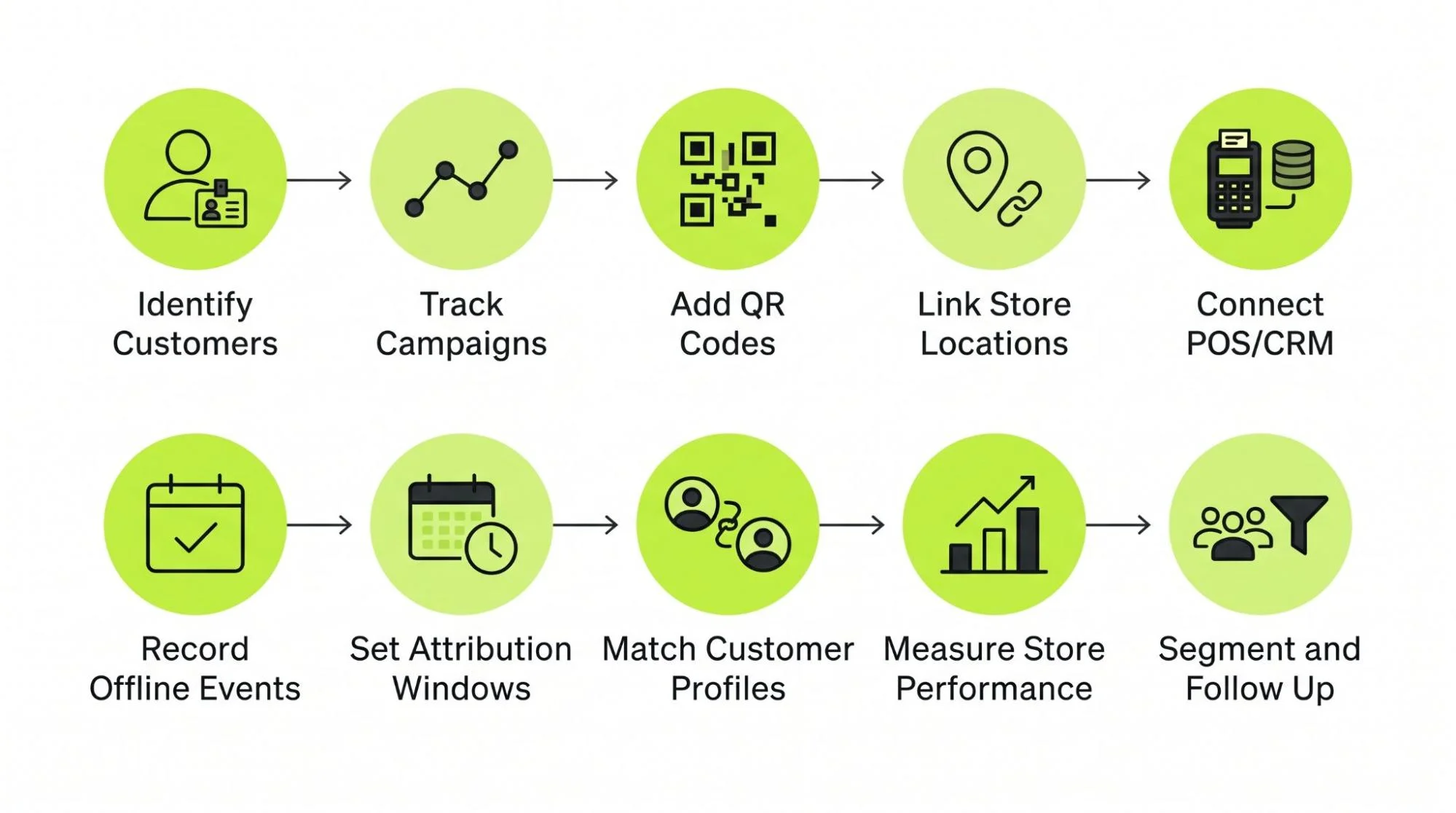
How to Set Up Email Attribution for Walk-In Locations
The following process describes a system design. It is not a universal platform setup.
1. Identify the Customer
Choose the stable ID that will connect email, loyalty and offline records. Map existing POS and CRM identifiers to it.
Define the outcome first. A nonpurchase visit requires a check-in event. A purchase requires a transaction record.
2. Create a Trackable Campaign Identifier
Give each campaign a stable ID and each message a distinct ID. Preserve send, click and delivery timestamps.
UTM parameters can label website traffic from email. They describe campaign context but do not identify physical attendance.
3. Add a QR Code, Barcode or Identifiable Offer
Choose a recipient-specific token when direct campaign linkage matters. Use a loyalty identifier when the campaign can be linked through marketing history.
Test code rendering in relevant email clients and scanning from phone screens.
4. Connect the Mechanism With the Physical Location
Provide an authenticated staff application or POS workflow. Capture the actual location from the staff account or register configuration.
A customer's URL parameter should not be the sole evidence that they attended a specific store.
5. Connect POS and CRM Data
Use a supported connector, API, webhook or scheduled export. Document the fields that move and the expected sync delay.
An API lets systems exchange data programmatically. A webhook sends a notification when an event occurs.
Make retries safe through unique event IDs. A repeated delivery must not create another purchase or visit.
6. Record the Offline Event
Store the original event time and evidence source. Use separate event types for staff check-in, code redemption and purchase.
Define visit sessions so a check-in and purchase during one trip do not become two visits. Leave unmatched events available for later reconciliation.
7. Apply an Attribution Window
Choose a window that reflects how customers plan visits. A seven-day window may be worth testing for a weekly retail campaign, but it is not a universal standard.
Decide which interactions qualify. A campaign-specific redemption can support direct campaign association without a recorded click. Click-based attribution requires a qualifying click.
Delivery-based and open-based credit should remain separately labeled.
8. Connect the Event to the Customer Profile
Resolve the ID against the shared customer record. Flag ambiguous matches rather than forcing them.
Then allocate credit using the agreed model. Last-touch credit goes to the latest eligible interaction. Multi-touch attribution divides credit across eligible interactions according to defined weights.
Preserve the raw event separately from the attribution result. That allows model changes without rewriting history.
9. Report Email-to-Store Performance
Group outcomes by campaign, actual location, verification method and customer cohort.
Keep verified visits, purchases and modeled estimates in separate measures. A single sale can receive credit in multiple platform dashboards, so do not add their totals as if each represented a different transaction.
Pilot with known test profiles. Check remote scans, duplicate submissions, forwarded codes, delayed uploads, refunds and unmatched records before wider rollout.
10. Use the Data for Segmentation and Follow-Up
An identified visit can stop an attendance reminder. A purchase can suppress a product promotion or start a relevant postpurchase sequence.
Trigger follow-up from the correct event. A remote QR scan should not stop a reminder intended for customers who have not visited.
Apply channel permissions before activating any promotional automation.
11. Build Privacy Controls Into the Workflow
Document why you collect identity and how offline events will be used. Apply consent and other privacy requirements to the specific jurisdictions, channels and integrations involved.
Keep personal information out of public URLs. Use controlled tokens, restricted access and appropriate retention periods. Pseudonymous IDs remain linkable customer data.
Review third-party code-generation services before sending them recipient-specific payloads. Where practical, generate code images within the infrastructure you control. Confirm that profile deletion and permission changes propagate to connected systems.
Example of Online-to-Offline Email Attribution
Consider a fictional kitchenware retailer with four locations. It invites subscribers to try a new coffee grinder in store. There is no booking form or discount.
Maya receives an email promoting her preferred location. Her QR token maps to customer C-917 and campaign GRINDER-APRIL.
She clicks the product link on Tuesday. On Friday, she visits another branch and shows the code to a staff member. The authenticated store application records her check-in at STORE-03.
Maya buys a grinder for $120. The register links the transaction to the same customer ID and check-in session.
The retailer's chosen rule credits campaign-specific, verified check-ins within seven days of delivery. Its records contain:
- One identified visit at Store 03.
- One associated purchase.
- $120 of gross revenue credited to the campaign.
- A promoted-store versus visited-store difference.
The Tuesday click supplies engagement context. The staff check-in supplies attendance evidence. The POS transaction supplies revenue.
If Maya scanned the code at home, the system would record digital activity only. If she attended without buying, the retailer could credit the visit while recording no revenue.
This example demonstrates association under a defined rule. To estimate incremental visits, the retailer could randomly hold back the email from a comparable eligible group and measure both groups with the same independent visit method. Counting email-code redemptions alone would not provide comparable control-group coverage.
Email Attribution vs. Traditional Store Visit Measurement
| Method | Evidence or input | Individual customer association | Relationship to email |
|---|---|---|---|
| Email-to-store attribution | Offline event plus campaign linkage | Yes, when identity is available | Assigns email credit under defined rules |
| Google Ads store visits | Location signals and modeling after eligible ad activity | No actionable individual visitor list | Measures ad-related visits |
| Offline conversion tracking | Imported purchase, check-in or other offline event | Depends on identifiers and destination | Supplies events that may support attribution |
| POS transaction attribution | Identified receipt and marketing history | Yes, for matched orders | Can assign purchase credit to email |
| Guest Wi-Fi tracking | Login and network session | Sometimes | Can supply a supplementary presence signal |
| QR or barcode attribution | Validated scan or redemption | Yes, with recipient identity or another lookup | Can connect an offline event to a campaign |
| CRM-based attribution | Customer-linked offline activity and touchpoints | Yes, for resolved profiles | Applies attribution rules across recorded history |
Offline conversion tracking is the collection and transmission of an outcome. Offline conversion attribution determines which marketing interactions receive credit for it.
A store visit and a transaction are also different events. The business should be able to report either without inventing the other.
How to Choose the Right Platform for Walk-In Attribution
Ask vendors to demonstrate one complete customer journey with your intended POS and location setup.
Use these questions during evaluation:
- Can the system identify individual customers and explain its matching rules?
- Can it connect email interactions with verified offline events?
- Does the POS integration include customer IDs, store IDs, transaction times and refunds?
- Can it connect with the existing CRM or loyalty system?
- Does it support nonpurchase check-ins?
- Can it generate recipient-specific QR codes or barcodes?
- How does it prevent remote scans from becoming store visits?
- Can it import offline events and expose failed or unmatched records?
- Does store visit measurement represent observations or modeled estimates?
- Can reports separate campaigns by actual location?
- Can offline events trigger or stop marketing automation?
- Are attribution windows and qualifying interactions configurable?
- Can analysts export raw events and reproduce attribution results?
- What privacy, permission, deletion and retention controls are available?
Confirm subscription requirements, connector charges, implementation effort and staff hardware costs.
For a purchase-focused program, identified POS transactions may supply the necessary evidence. For venues that need attendance without purchases, prioritize a reliable check-in process. For broad advertising measurement, modeled store visits can answer a different business question.
FAQs
Can Email Marketing Get Credit for a Walk-In Visit?
Yes. A recorded offline visit can receive email credit when it links to a customer or campaign and satisfies the chosen attribution rule. An open alone is insufficient.
How Can You Track Store Visits From Email Campaigns?
Record attendance through staff check-ins, validated codes or loyalty identification. Connect that event with campaign records through shared IDs.
Can QR Codes Connect Email Campaigns to Physical Visits?
Yes, when a store-controlled process verifies the scan or redemption. A QR code scanned remotely records digital engagement rather than attendance.
Do Customers Need to Book Online for Attribution?
No. Identification and event recording can happen during the visit through POS, loyalty or a check-in application.
Can Google Ads Track Store Visits?
Eligible accounts can receive modeled store visit conversions after qualifying ad interactions. This does not provide direct customer-level attribution for email campaigns.
Can POS Data Be Used for Email Attribution?
Yes, when transactions contain a usable customer identifier and connect with marketing history. Anonymous receipts cannot establish individual email attribution on their own.
Do You Need a Discount to Track an Offline Visit?
No. Loyalty identification, nondiscount codes and staff-recorded check-ins can support measurement without reducing the purchase price.
What Is Offline Conversion Attribution?
It is the assignment of marketing credit to an outcome recorded outside a website or app, such as an in-store purchase or verified check-in.
What Is the Difference Between Modeled and Identity-Based Attribution?
Modeled measurement estimates outcomes from signals and statistical methods. Identity-based attribution connects an observed event with a known profile and eligible touchpoints.
Which Platforms Support Offline Visit Attribution?
Bloomreach, CRM and CDP systems can support identified offline journeys when configured appropriately. Klaviyo and Mailchimp offer relevant POS integrations. GA4 and Adobe provide offline data collection or import tools, while Google Ads and Meta support advertising measurement. Capabilities depend on the specific setup.
Ready to put AI to work on your emails?
Talk to AI Email Automation about your campaigns.