


A shopper can leave a retail website with items still in their cart. Another might buy once, then disappear for weeks. Email marketing gives the retailer a way to contact people who’ve already shown interest and put relevant products back in front of them.
The most effective email marketing strategies retail brands use to increase sales start with customer behavior. Personalized recommendations and well-timed messages follow from that. Rather than giving everyone the same promotion, retailers can build campaigns around what people view and buy, then consider what they might need next.
Automated workflows take some of the manual work out of this. Stores can introduce themselves to new subscribers and follow up on abandoned carts. They can also suggest related products or prompt another purchase. AI-powered tools help marketers examine customer data and make better campaign decisions.
This guide covers eight practical retail email marketing strategies, with implementation advice and metrics for each. It also looks at AI email automation and real retail examples. And it explains common mistakes that can weaken campaign results.
Why Email Marketing Is Important for Retail Brands
Customers who agree to receive emails give retailers a direct way to stay in touch. Those messages can introduce products or help someone decide what to buy. They also support customer retention throughout the shopping process.
Email marketing uses an established subscriber list, unlike social media campaigns. Having that list doesn’t guarantee delivery, though. Permission and sender reputation matter. Customer engagement does too.
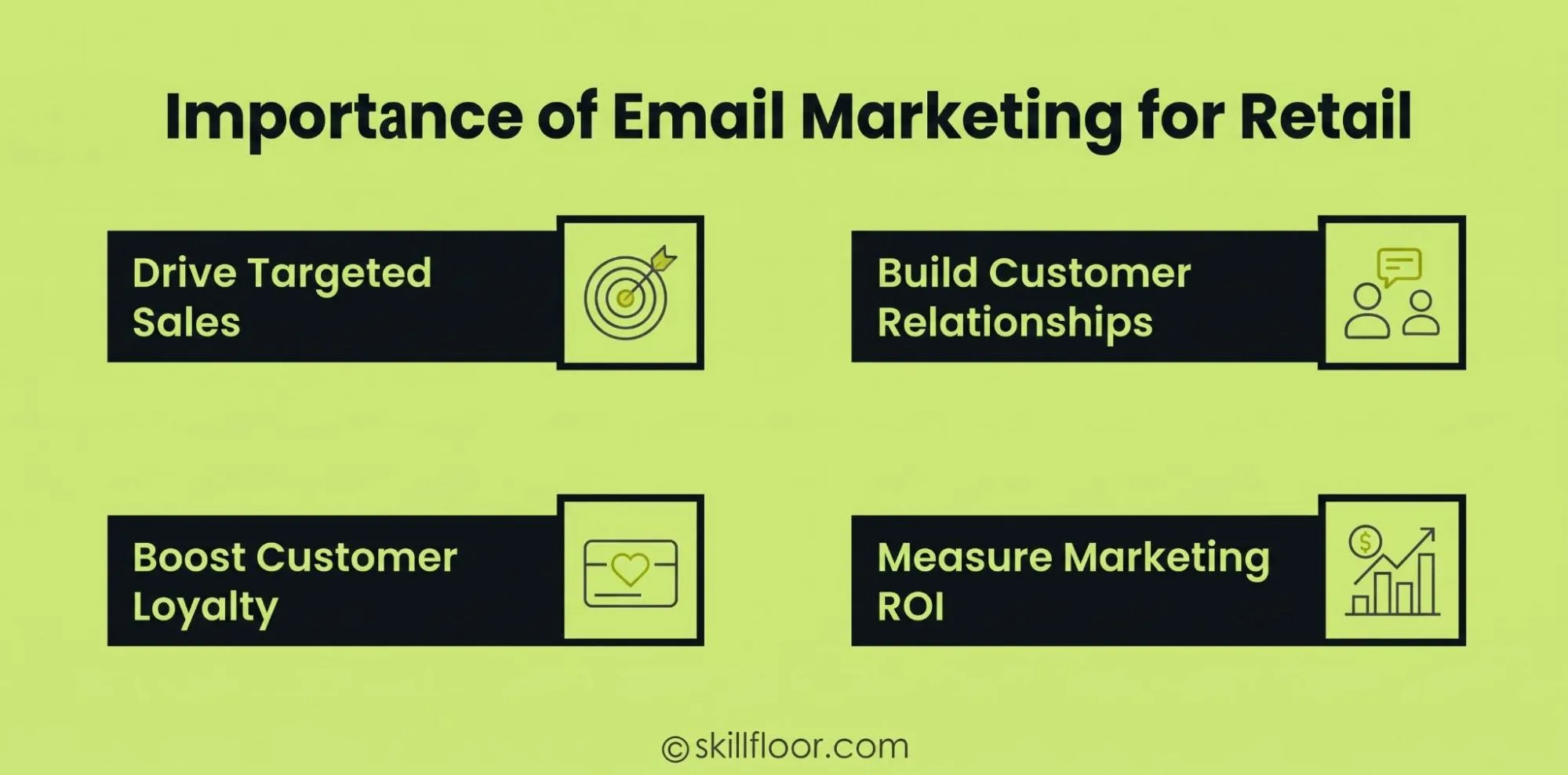
Drive More Sales Through Targeted Campaigns
Someone who recently viewed outerwear is a more relevant audience for winter jackets than the entire mailing list. A clothing retailer can build a campaign around that interest.
Retailers can use the same approach for other products or categories, featuring new arrivals and related items or announcing price reductions.
Build Long-Term Customer Relationships
Email newsletters keep the conversation going between orders. Helpful tips and product guides give people something to read, as do customer stories and new collection updates.
A furniture retailer could explain how to choose a mattress before showing suitable products. That gives customers useful information while they take time to decide.
Encourage Repeat Purchases and Customer Loyalty
Customer retention email marketing keeps existing buyers connected to the brand. Rewards and birthday emails can give them reasons to return, alongside exclusive previews or replenishment reminders.
These messages are particularly useful for regularly purchased products, when a timely follow-up can meet the customer’s next buying need.
Measure Marketing Performance and Revenue
Email platforms track subscriber activity and purchases attributed to campaigns. Retailers can compare conversion rates and click-through rates, then review revenue per email and repeat purchase rates.
Those figures show which messages support sales and which need work. Revenue tracking also lets teams judge business results alongside email engagement.
Key Elements of a Successful Retail Email Marketing Strategy
Good-looking templates and offers won’t carry successful email marketing for retail businesses on their own. The targeting needs reliable customer information. Timing and performance tracking have to work with it.
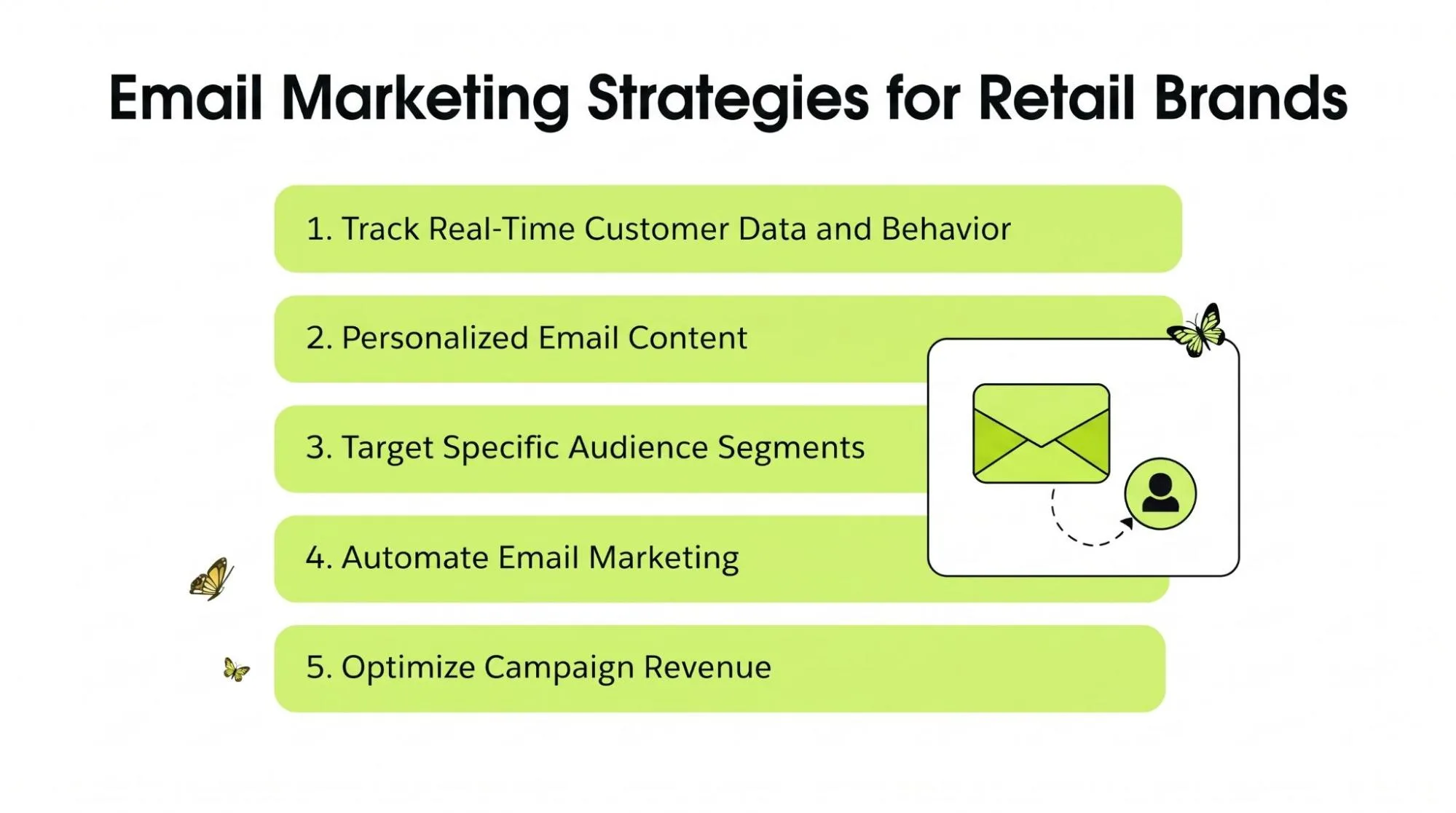
Real-Time Customer Data and Behavior Tracking
First-party customer data comes from a retailer’s website and stores, along with email interactions. Product views and searches show interest. Cart activity and purchases add context, as do email clicks.
Recording events promptly lets retailers respond while that interest is current. Repeated running-shoe views, for example, may point to interest in a size guide or comparison. Collect and use data with appropriate consent and privacy controls.
Personalized Email Content and Product Recommendations
A first name is only the start of email personalization. Personalized email marketing campaigns can show recently viewed products or relevant categories. Previous purchases and loyalty information can shape the content too.
Dynamic content lets subscribers see different products in one campaign. A beauty retailer might suggest compatible skincare after a purchase, using available data rather than assumptions about personal needs.
Customer Segmentation and Audience Targeting
Retail customer segmentation groups subscribers by shared characteristics or behaviors. A first-time buyer may need instructions, while a loyal customer might prefer early collection access.
Common segments include:
New subscribers: These people have joined the email list but haven’t made a purchase.
First-time buyers: Customers in this group recently placed their first order.
Repeat customers: These shoppers have bought more than once.
Inactive subscribers: They haven’t clicked or purchased, or shown other engagement, during a defined period.
Category-specific shoppers: Their interests centre on particular products or collections.
High-value customers: Their purchase frequency or spending history is stronger than other buyers’.
Email Marketing Automation
Predefined customer actions start email sequences in email marketing automation for retail. A signup can trigger a welcome message. An incomplete checkout can start a cart reminder, while delivery can prompt product care instructions.
These automated email workflows reduce manual message management. They also keep communication consistent as the subscriber list gets larger.
Revenue Tracking and Campaign Optimization
Give retail email marketing campaigns a clear business goal. Test related recommendations when the aim is higher average order value. For retention, compare repeat purchases among relevant groups.
Use campaign data to adjust offers and audience selection, then refine content and schedules. Where possible, use a suitable control group to check for additional sales rather than crediting emails for purchases that would have happened anyway.
8 Email Marketing Strategies Retail Brands Can Use to Increase Sales
These email marketing tactics for retail businesses serve different stages of the customer’s shopping process. Some recover unfinished orders. Others give previous buyers a reason to come back.
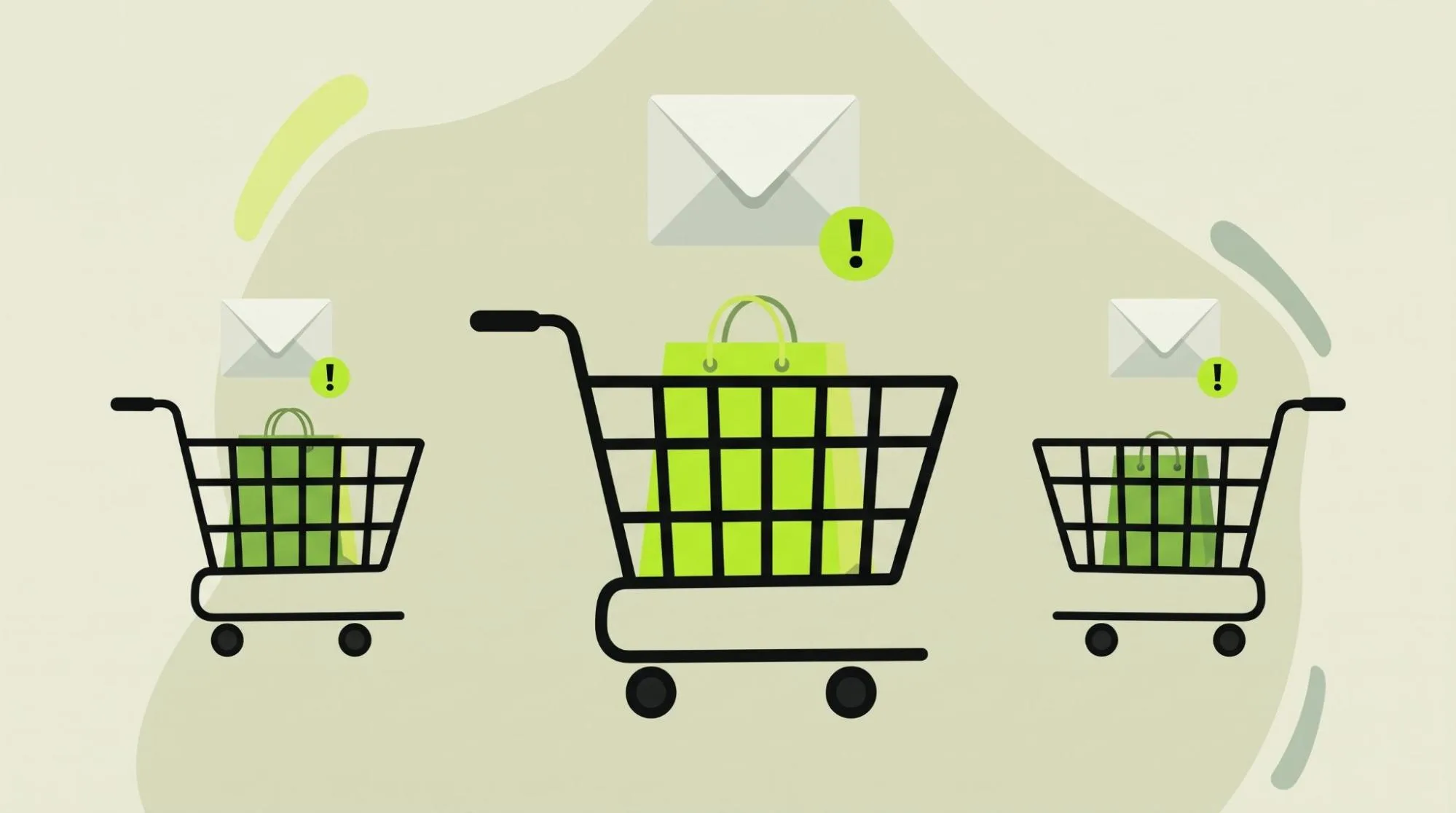
1. Recover Abandoned Carts With Automated Emails
A shopper adds items to a cart, then leaves before checkout is complete. Perhaps they’re comparing prices or checking delivery charges. Sometimes they simply get distracted.
Abandoned cart email strategies remind those shoppers about the products they were considering.
How it works
After an identified shopper leaves a cart or checkout unfinished, a suitable delay can trigger a reminder. The message shows the abandoned products and links back to the purchase.
Later reminders can answer delivery or return questions. Stop the sequence when the customer completes the order.
Retail example
A footwear customer selects two pairs of shoes but leaves before paying.
The store later emails the chosen shoes and available sizes, with a button that takes the shopper back to checkout.
How to implement it
Set up cart and checkout tracking for customers who can lawfully receive reminders. Start by testing the first message around one to three hours after abandonment.
Include product names and images, plus current prices and a clear checkout link. Test a later delivery or return reminder, excluding completed orders.
Metrics to track: Cart recovery rate and recovered revenue. Review click-through rate and conversion rate too.
Don’t assume a discount is needed. Some people just need an easy route back to their original purchase.
2. Use Personalized Product Recommendations
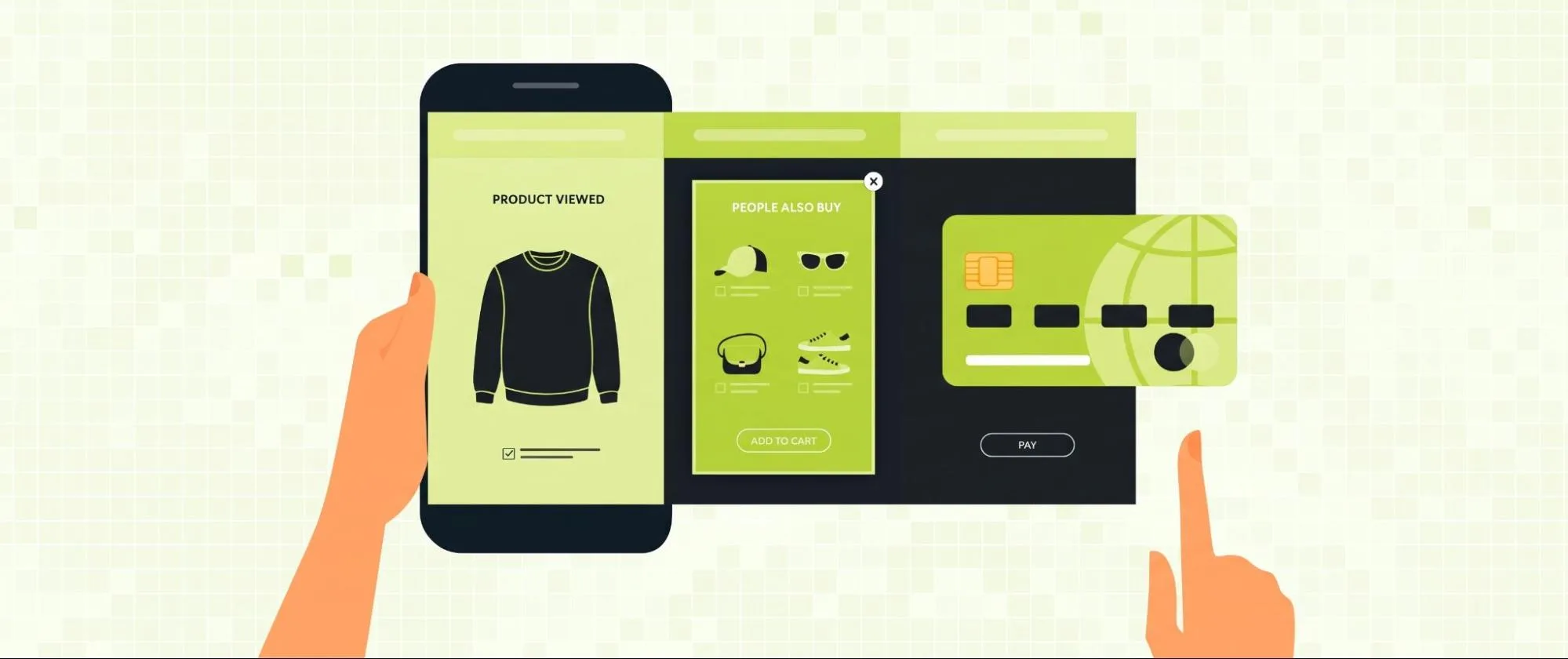
Product recommendation emails put related items in front of shoppers based on their interests or earlier orders.
Cross-selling means suggesting complementary products. Upselling points someone toward a suitable alternative with a higher value. Recommendation emails can support either approach.
How it works
Purchase history and browsing activity help retailers find relevant products, along with relationships between items.
Those recommendations can appear in promotional messages or post-purchase emails.
Retail example
After a customer buys a digital camera, an electronics retailer follows up with a compatible memory card. It also recommends a protective case and camera bag.
The items complement the camera purchase and may increase the customer’s total spending.
How to implement it
Organise products by compatibility or category, including combinations people commonly buy. Use available purchase and browsing data to select relevant items.
Exclude products already owned when another would be unnecessary. Test a small recommended selection against a standard promotional message.
Metrics to track: Average order value (AOV) and recommendation click-through rate. Compare conversion rate and revenue per email as well.
Accuracy matters here. An incompatible accessory or unrelated suggestion can weaken the customer’s trust.
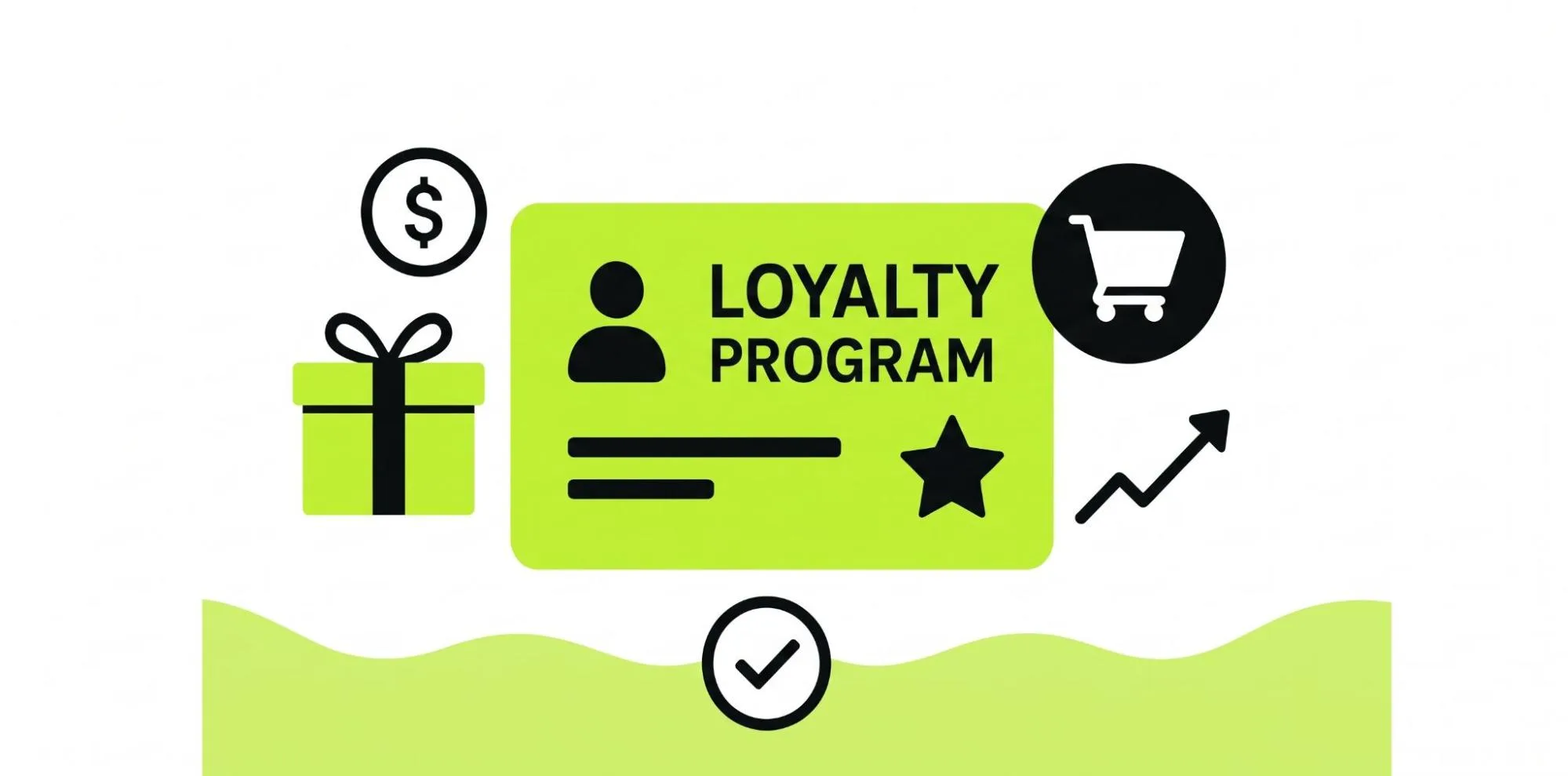
3. Create Customer Loyalty Email Campaigns
Loyalty programme email marketing rewards people for continuing to buy from a retailer.
Customers won’t always know which benefits they’ve earned. These campaigns make those benefits visible and can encourage another purchase.
How it works
Loyalty membership and reward balances can trigger messages. Purchase milestones or eligibility for exclusive access can do the same.
Emails may highlight available points or member-only products. They can also flag benefits nearing expiration.
Retail example
A cosmetics retailer awards points on eligible purchases. A returning customer gets an email showing that their balance is enough for a reward on the next order.
The message explains how to redeem it and shows eligible products.
How to implement it
Choose benefits the business can afford to maintain. Use accurate account details to identify eligible members.
Build reward milestone emails and relevant member offers. Make redemption rules and expiration dates clear, including exclusions.
Metrics to track: Repeat purchase rate and reward redemption rate. Also review customer retention and revenue from loyalty members.
Useful benefits work best when customers can understand them easily.
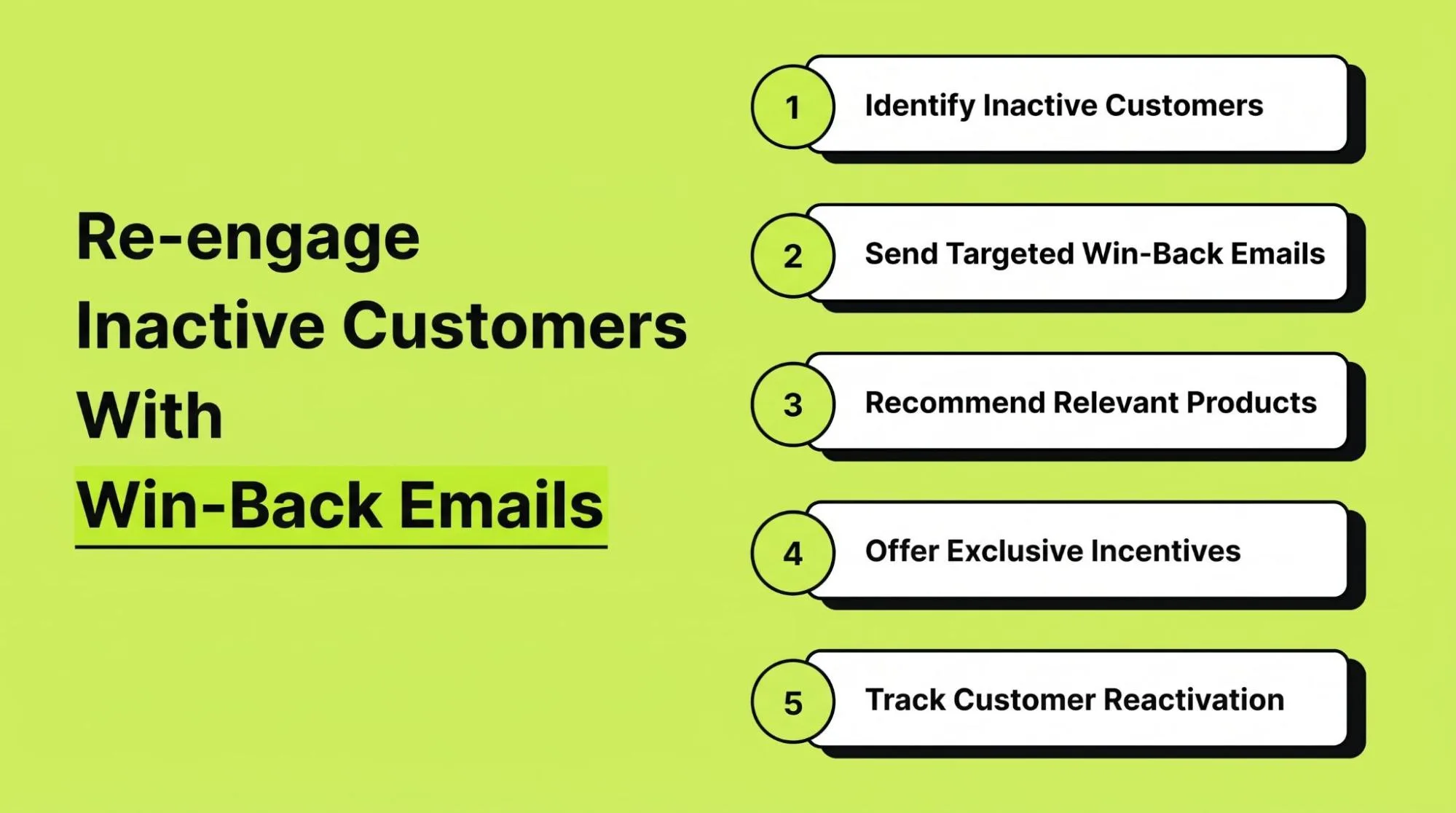
4. Re-engage Inactive Customers With Win-Back Emails
Some subscribers stop shopping or visiting after their first few orders. Customer re-engagement emails give retailers a way to reconnect with them.
How it works
Choose a period of inactivity and identify customers who haven’t purchased or meaningfully engaged during it.
A win-back message can then show relevant products or helpful updates, giving the customer a reason to reconsider the brand.
Retail example
An online clothing retailer spots a previous buyer who hasn’t ordered for six months. It emails a new collection from a category that a customer bought before.
If the customer remains interested, a second message may introduce a limited incentive.
How to implement it
Define inactivity around the normal buying cycle. Keep past customers separate from subscribers who’ve never bought.
Reflect previous interests where appropriate. Limit the follow-ups and suppress contacts who remain unengaged.
Metrics to track: Reactivation rate and repeat purchases. Check recovered customer revenue alongside unsubscribe rate.
A furniture buyer may naturally wait much longer between orders than a skincare customer. The win-back schedule needs to account for that.
5. Send Timely Product Replenishment Emails
Consumable products run out. Replenishment emails remind customers when that might be approaching.
Beauty and personal care retailers can use them. They’re also relevant to pet supplies and household retail businesses.
How it works
Estimate when the purchased item may need replacing. Quantity and typical usage help inform that estimate, along with previous reorder patterns.
Send the reminder around the expected replenishment period.
Retail example
A customer orders a 30-day supply of pet food.
Around day 25, the retailer sends a reminder showing the same product and a link to reorder.
How to implement it
Identify products people regularly consume and buy again. Review order history for common intervals between purchases.
Set reminders by product type and known buying patterns, then adjust the timing using actual repeat purchase behavior.
Metrics to track: Reorder rate and time between purchases. Monitor repeat purchase revenue and customer retention rate too.
People don’t all use products at the same pace. Let customers choose reminder preferences where possible.
6. Segment Email Subscribers for More Relevant Campaigns
Subscribers differ in what they like and how much they spend. Their shopping habits differ too. Giving the whole list identical offers can leave people with less useful messages.
Email campaign strategies for retail brands improve when subscribers are grouped meaningfully.
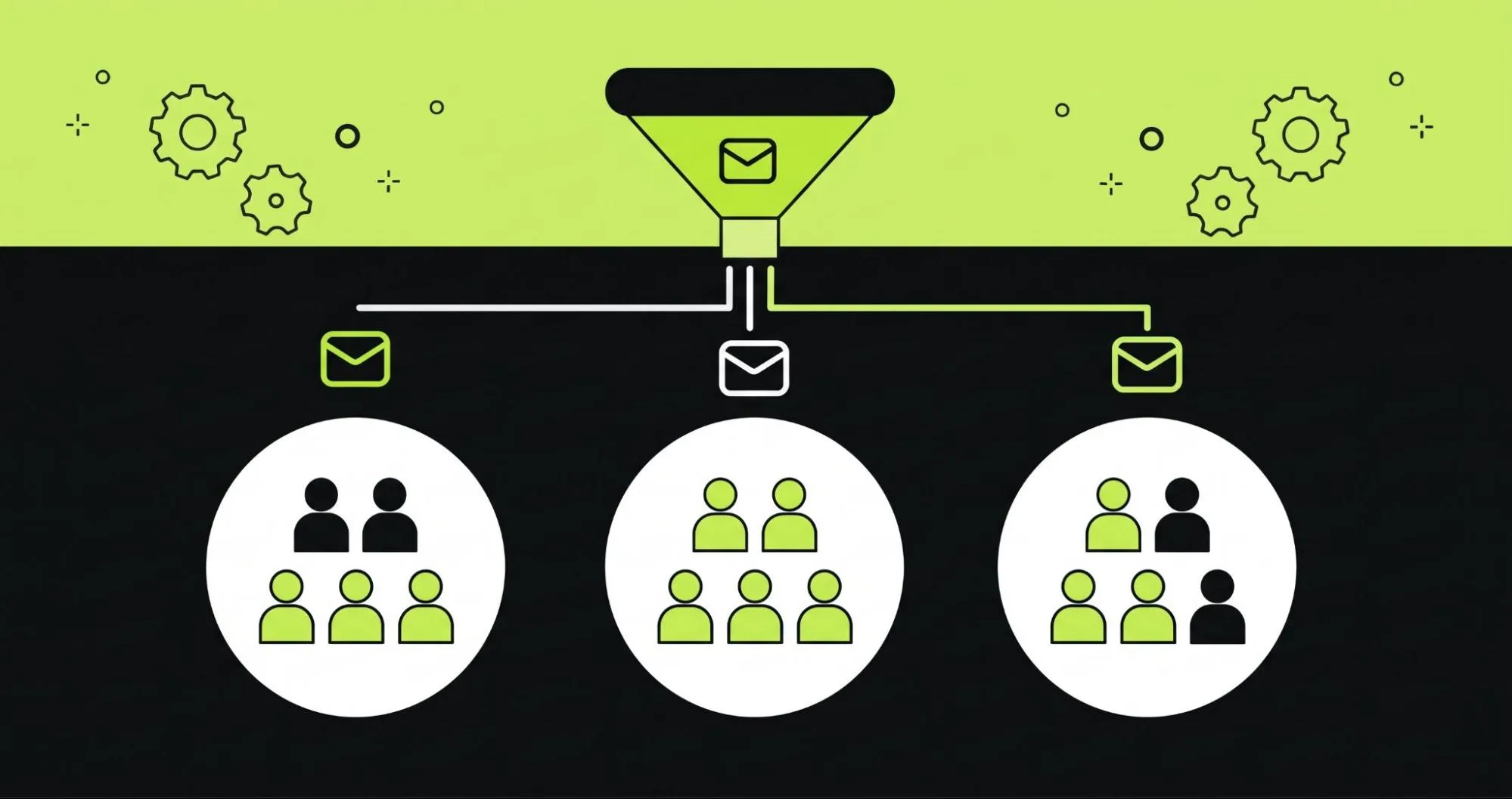
How it works
Retailers can group people by product interests or location. Spending patterns and purchase frequency offer other options, along with email engagement.
Each group receives campaigns that fit its likely needs.
Retail example
A sporting goods retailer creates separate running and cycling groups, plus a gym equipment group.
Runners see new shoe releases and running accessories. Cyclists receive bicycle maintenance products, along with helmets and lights.
How to implement it
Begin with a few useful segments. Don’t create dozens of tiny groups at the start. Use purchase history and customer preferences, supported by relevant engagement data.
Write a different message for each group. Compare segmented and broader campaigns using equivalent audiences.
Metrics to track: Segment conversion rate and revenue per recipient. Review click-through rate and unsubscribe rate alongside them.
Keep the groups current. Buying one product doesn’t mean someone wants similar items forever.
7. Welcome New Subscribers With Automated Email Sequences
A welcome email series for retail customers introduces the store after someone joins its list.
That signup may come through a website form or an in-store invitation. A promotional campaign can bring in subscribers too.
How it works
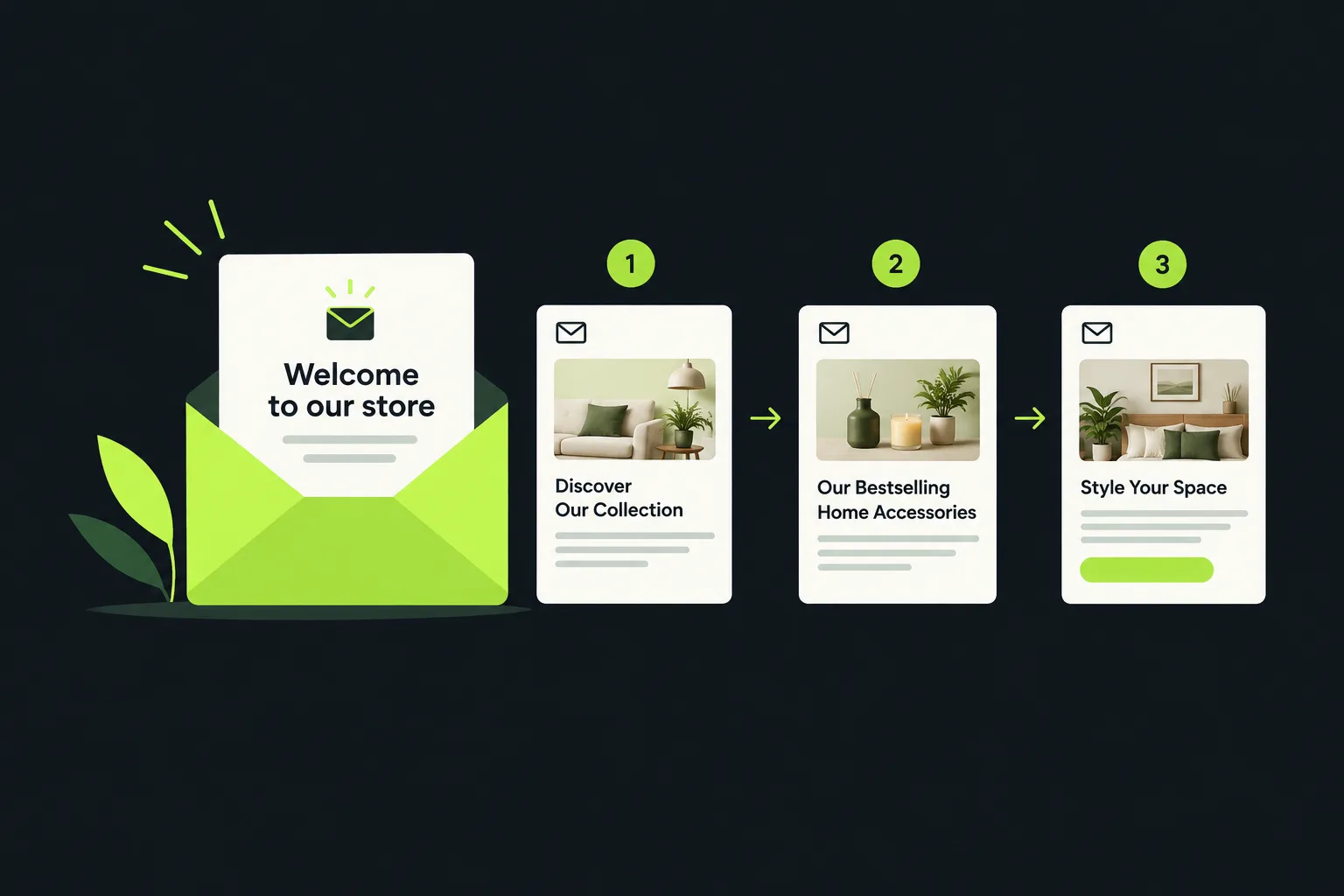
A signup starts a short automated sequence. Early messages can explain the store’s range and point to useful categories.
The sequence can also introduce a relevant first-purchase offer.
Retail example
A new subscriber joins a home decor retailer’s list. The first email introduces the business and its main categories.
Next comes a message featuring bestselling accessories. A later email shares room styling ideas and links to suitable collections.
How to implement it
Send a clear welcome after signup. Explain what the store sells and what subscribers can expect from its emails.
Show useful buying guides or popular collections. Test a first-purchase offer if it fits the pricing strategy.
Metrics to track: First-purchase conversion rate and welcome series revenue. Check click-through rate and time to first purchase too.
Give new subscribers enough information to explore. Keep the sequence focused so too many messages don’t arrive at once.
8. Send Back-in-Stock and New Product Emails
A customer may leave because the item they want has sold out. Other shoppers keep checking for new designs or collections.
Back-in-stock emails and product launch campaigns let retailers tell interested people when relevant inventory changes.
How it works
A back-in-stock message goes to someone who asked for an update on an unavailable item.
A new product campaign introduces a launch to subscribers interested in that category or brand.
Retail example
A shopper finds a handbag they want, but it’s sold out. They sign up for a stock notification.
When inventory arrives, the retailer sends its image and available colors, with a direct link to buy.
How to implement it
Put notification signup options on unavailable product pages. Link the messages to reliable inventory updates and notify people when the exact item or variant returns.
Keep new-collection launch announcements separate, sending them to customers interested in those releases.
Metrics to track: Back-in-stock conversion rate and notification click-through rate. Also measure launch revenue and product sell-through rate.
Don’t send an availability alert on uncertain inventory. The stock information needs to be accurate when someone clicks.
How AI Email Automation Helps Retail Brands Increase Sales
AI-powered email marketing helps retailers use customer information, particularly across large lists or several customer processes.
Traditional automation acts on rules marketers set. A cart reminder scheduled two hours after abandonment is one example.
AI-supported systems can examine more data and find patterns. They may help identify relevant messages or recommendations. What they can do depends on the software and the quality of the data behind it.
AI Email Automation explains behavior-based targeting and personalization. They also cover predictive analysis and automated email workflows. Those concepts help when assessing where AI might fit into retail marketing. Check each product’s capabilities before choosing a platform.
How It Works & Key Benefits
Automate Behavior-Based Email Campaigns
Behavior-based email campaigns start with customer actions. Viewing a category or adding to a cart can trigger them. A purchase or return to a product page can too. Someone viewing several office chairs, for example, may find a size and feature comparison useful.
Retailers choose the triggers and limit excessive messages. Where supported, AI analysis may prioritise stronger buying signals. The benefit is relevance: messages respond to interests rather than only following a promotional calendar.
Personalize Email Content and Product Recommendations
AI email personalization can find patterns in browsing and purchase records, alongside previous campaign engagement. A fashion store may stock hundreds of items, yet only a few match one customer’s interests. A recommendation system can rank suitable options and display them through dynamic content.
Retailers still need to check accuracy and availability, plus brand suitability. AI won’t make poor customer data reliable. Irrelevant messages can still result.
Improve Customer Segmentation With AI
Manual groups work well for first-time and repeat buyers. AI-supported segmentation may find less obvious similarities, such as customers buying different products but sharing purchase frequency or discount sensitivity. Engagement patterns can offer another connection. Retailers can test smaller audiences using those insights.
Predictive analytics may estimate who will reorder or become inactive. These aren’t certain outcomes, so check actual behavior. Maintain appropriate data permissions and avoid sensitive assumptions about subscribers.
Optimize Campaign Timing and Follow-Up Sequences
Some customers read email at work. Others wait until evening. AI-supported send-time optimization examines past engagement to estimate suitable delivery times. Retailers can also test follow-up gaps, comparing a two-hour cart reminder with a six-hour reminder, for example.
Choose schedules using revenue and conversions rather than opens alone. Frequency matters too. Even a well-timed message becomes less useful after several other promotions that day.
Track Campaign Performance and Identify Opportunities
AI-supported analytics helps teams examine large amounts of campaign data. It may reveal declining audience engagement or weak sequences. It can also highlight products attracting attention without enough purchases. Stronger order values from post-purchase recommendations than general discounts, for example, could justify changing campaign priorities.
Retailers still need to review margins and marketing costs, then ask whether emails influenced those sales. A practical starting point: Automate one clear customer process, such as abandoned cart recovery. Check results and customer experience before expanding into advanced AI-powered workflows when the data supports it.
How to Measure the Success of Retail Email Marketing Campaigns
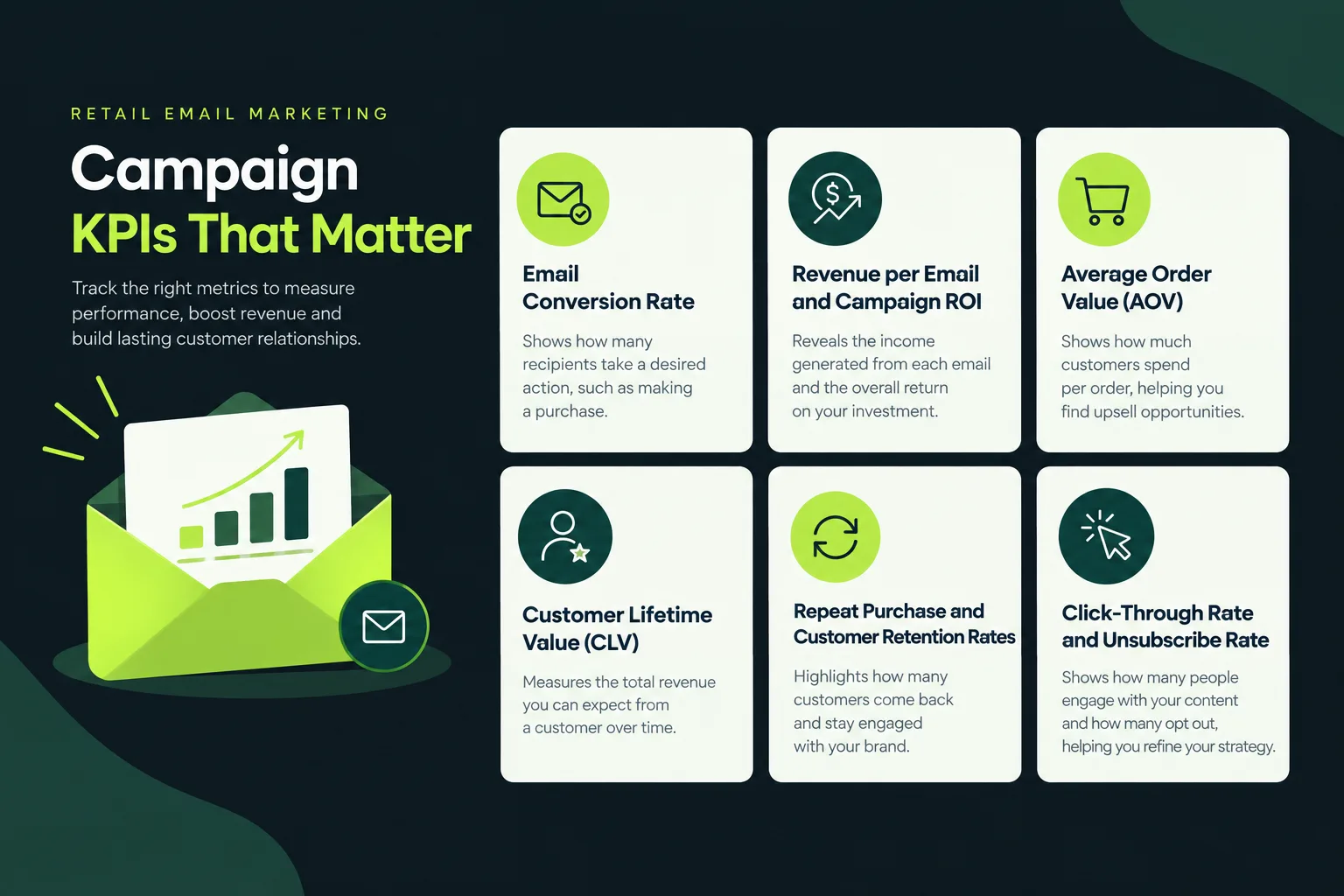
Retailers need to know which messages lead to orders and higher spending. They also need to see which bring customers back. Engagement is useful, but sales and customer retention metrics show more clearly how campaigns affect the business.
Email Conversion Rate
Email conversion rate is the percentage of recipients or visitors completing a desired action after email engagement. For retailers, that usually means a purchase.
The denominator matters. Use the same definition when comparing campaigns.
Formula:
Email conversion rate = (Email-attributed orders ÷ Delivered emails) × 100
A campaign with 5,000 delivered emails and 100 attributed orders has a recipient-based conversion rate of 2%.
Some platforms divide by email clicks or sessions instead. Check which calculation yours uses.
Weak conversion may point to irrelevant products or pricing problems. The landing page or checkout may also need attention.
Revenue per Email and Campaign ROI
Revenue per email compares attributed sales revenue with the number of messages delivered.
Campaign return on investment (ROI) looks at the financial return against marketing costs.
Formula:
Revenue per email = Attributed email revenue ÷ Delivered emails
A campaign generating $3,000 from 2,000 delivered messages produces $1.50 in revenue per email.
Formula:
Campaign ROI = [(Attributed return − Campaign cost) ÷ Campaign cost] × 100
For a more useful calculation, consider contribution profit after product costs and discounts, including other variable expenses. Sales revenue isn’t all profit.
Email marketing ROI for retail businesses helps show which campaigns are worth expanding.
Average Order Value (AOV)
Average order value tells you how much customers spend per order.
Recommendations and product bundles may help increase it. Suitable cross-selling campaigns can support it too.
Formula:
AOV = Total order revenue ÷ Number of orders
If a retailer generates $12,000 from 200 orders, AOV is $60.
But check margins alongside the order amount. A bigger order doesn’t always produce a more profitable sale.
Customer Lifetime Value (CLV)
Customer lifetime value estimates what a customer brings to the business over their relationship with the brand.
One simple version uses revenue. It leaves out profit margins and customer acquisition costs.
A simple revenue-based estimate is:
CLV = Average order value × Purchase frequency per year × Customer lifespan in years
Someone spending $50 per order and buying four times a year for three years has an estimated revenue-based CLV of $600.
Retailers can compare customer groups using CLV. It also helps assess whether retention campaigns support lasting relationships.
Repeat Purchase and Customer Retention Rates
Repeat purchase rate gives the percentage of customers buying more than once within a defined period.
Customer retention rate looks at how many existing customers stay active over a selected period.
Formula:
Repeat purchase rate = (Customers with multiple purchases ÷ Total customers) × 100
Use these figures to assess post-purchase emails and loyalty campaigns, along with replenishment reminders.
A beauty retailer might check how many first-time skincare customers order again within 90 days.
Choose a period that fits the category. Furniture purchases may need a much longer window than groceries.
Click-Through Rate and Unsubscribe Rate
Click-through rate (CTR) measures the share of delivered emails that produce at least one tracked click.
Unsubscribe rate measures the share of recipients who opt out after receiving the message.
Formula:
CTR = (Unique clicking recipients ÷ Delivered emails) × 100
Low CTR can mean the content or offer misses subscriber interests. The call to action may be the problem too.
Formula:
Unsubscribe rate = (Unsubscribes ÷ Delivered emails) × 100
High unsubscribe rates can point to irrelevant messages or excessive sending. Signup expectations may also have been misleading.
Keep an eye on bounce rates and spam complaints. Monitor email deliverability as well.
What about email open rates? They can show a general direction, but privacy features such as Apple's Mail Privacy Protection reduce their reliability. Don’t judge engagement or campaign success on opens alone.
Examples of Retail Brands Using Email Marketing to Increase Sales
Published retail case studies show how email marketing techniques for retail sales growth work across different buying cycles.
The results below come from customer case studies. Each reflects that brand’s campaign and reporting method, under its own business conditions. They aren’t typical or guaranteed outcomes.
Fashion Retail: DKNY Improves Engagement With Fewer Emails
DKNY reduced broad email sends and worked on more targeted communication to improve efficiency. Klaviyo's case study describes expanded customer segmentation and automated email sequences, including price-drop alerts and more detailed follow-ups.
The reported results cover a three-month comparison period:
24% fewer emails sent year over year: This reduction applied during the reported three-month period.
An 8% increase in email click rate: The increase used the same comparison period.
The results show that engagement can improve without adding more promotional messages.
Practical lesson: Sending more doesn’t automatically work better. Fashion retailers can test smaller audiences and relevant categories, then automated triggers, before increasing volume.
Beauty Retail: Patrick Ta Beauty Uses Seasonal Promotions
Patrick Ta Beauty coordinated email and SMS for Black Friday and Cyber Monday in 2024. It used a gift-with-purchase offer on qualifying orders rather than relying only on discounts. Earlier campaign tests also informed timing.
Klaviyo's published case study reports:
An eightfold year-over-year increase in Klaviyo-attributed revenue: This applied during the promotional period.
A 175% year-over-year increase in total ecommerce revenue: That result covered the same period.
A 37% reduction in email unsubscribe rates: The reduction occurred despite increased email volume.
The promotion involved several channels. These results can’t be attributed to email alone.
Practical lesson: Seasonal email marketing campaigns need the offer and audience to work with the timing. Beauty retailers can test gift bundles or product education, alongside exclusive offers, rather than depending entirely on percentage discounts.
Furniture Retail: Bensons for Beds Connects Online and In-Store Customer Data
Bensons for Beds wanted a better digital experience that also supported physical-store shoppers. It worked with Bloomreach to connect customer data and introduce personalized email campaigns while improving marketing automation.
The approach used product recommendations and follow-ups to in-store quotes, with customer tracking across channels. Bloomreach reports:
A 41% year-over-year increase in ecommerce sales: Q4 2022 was compared with Q4 2021.
A 7% increase in like-for-like sales: This covered the same comparison period.
These were business-wide results during a digital transformation. They weren’t isolated email conversion gains.
Practical lesson: Furniture retailers can link emails to a longer buying process. Someone requesting a mattress quote may need a relevant comparison or follow-up more than a general sale announcement.
Automotive Retail: Motorpoint Uses Behavioral Follow-Ups
Motorpoint’s customers often spent weeks or months comparing vehicles. The automotive retailer introduced automated customer sequences based on browsing and product interests, along with engagement.
Its email program used vehicle recommendations and interest-based follow-ups. According to Bloomreach's case study:
An estimated 40% saving in the marketing team’s weekly time: This was time previously spent managing campaigns manually.
A 50% uplift in email performance from personalized product recommendation emails: The comparison was with earlier generic follow-up messages.
That second figure describes reported email performance. It doesn’t verify a 50% increase in total vehicle sales.
Practical lesson: Emails for expensive products should fit the customer’s decision process. Product details and useful comparisons, followed by timely messages, may be more appropriate than repeated discounts.
Jewelry Retail: Ana Luisa Encourages Loyalty Reward Redemptions
Ana Luisa sent personalized emails to members of its AL Luxe subscription program. Dynamic content reminded eligible members of their benefits and available store credit, while non-members saw different content.
Bloomreach reports that the share of member credit redemptions doubled after this change. Practical lesson: Show actual benefits clearly, including reward balances and redemption opportunities. Make eligibility conditions easy to understand too.
Common Retail Email Marketing Mistakes to Avoid
Retail email marketing best practices include deciding what shouldn’t reach the inbox. Poor targeting or too many promotions can weaken a well-planned program. Weak tracking can hide the problem.
Sending the Same Email to Every Subscriber
Generic sends overlook differences between new visitors and active buyers, including long-term customers. A new subscriber may need a brand introduction. An existing buyer may prefer products related to an earlier order.
Use customer segmentation to reflect those differences. Even simple purchase-history groups can make targeting more relevant.
Sending Too Many Promotional Emails
Similar discounts sent repeatedly can cause subscribers to lose interest. Check the total messages each person receives from campaigns and automated sequences.
Set suitable frequency limits and provide preferences where possible. Add variety with buying guides or care advice, alongside new collection information.
Ignoring Mobile Email Design
Small text and crowded layouts make mobile shopping awkward. Difficult buttons add another obstacle. Retail emails need responsive email design that works across screen sizes.
Keep images clear and text easy to scan. Make call-to-action buttons easy to tap, then test on mobile before sending to everyone.
Using Weak Subject Lines and Calls to Action
Tell the recipient why the message matters. Vague subject lines can hide a collection’s value or an offer’s purpose, while misleading urgency damages trust.
“New Running Shoes Available in Your Size” is clearer than “You Won't Believe This Deal.” Use direct next steps such as “Shop Running Shoes” or “View Your Cart.”
Failing to Track Revenue and Conversions
Strong engagement doesn’t prove an email is generating sales. Where technically and legally appropriate, link email activity to orders and revenue. Track customer retention too.
Use consistent attribution settings for comparisons. Review campaign costs and discounts before deciding which strategy is most profitable.
Neglecting Email Consent and Deliverability
Promotions sent without appropriate permission can increase spam complaints and create legal risks. Maintain permission-based lists and record consent where required. Give people clear unsubscribe options.
Google's sender guidelines also require appropriate authentication. Bulk senders face further requirements, including SPF and DKIM, plus DMARC and one-click unsubscribe for qualifying promotional messages.
How to Build a Retail Email Marketing Plan
Connect the retail email marketing plan to business goals and customer needs. Small businesses can start with a few core campaigns. Add more complex workflows once reliable performance data gives you a basis for doing so.
Step 1: Define Sales and Customer Retention Goals
Choose measurable goals. You might aim for more repeat purchases or recovered carts, or a higher average order value.
Record the baseline before introducing new campaigns.
Step 2: Build a Permission-Based Subscriber List
Collect addresses through website forms and checkout options, including in-store signups.
Explain what people will receive. Avoid purchased email lists.
Step 3: Segment Subscribers Using Customer Data
Begin with new subscribers and first-time buyers. Separate repeat customers from inactive contacts too.
Add category or spending groups when there’s enough data to support them.
Step 4: Select Campaigns That Match Customer Needs
Choose campaigns around the product range and sales cycle. A skincare store may prioritise replenishment reminders.
For furniture, product education and inquiry follow-ups may be more appropriate.
Step 5: Set Up Automated Email Workflows
Choose triggers for important customer events. Start with welcome messages and abandoned cart reminders.
Add post-purchase or loyalty sequences when needed.
Step 6: Test Subject Lines, Content and Timing
Run controlled tests, making one main change at a time.
Keep the audience and measurement period consistent, along with the conversion definition.
Step 7: Measure Revenue and Improve Performance
Review campaign revenue and conversion rates regularly. Check customer retention and unsubscribe trends too.
Keep what works and improve weak campaigns. Remove messages that no longer offer value.
Match Each Email Campaign to a Clear Goal
Assign each campaign type one main business goal. That gives the team a useful basis for managing retail email campaigns.
Email campaign | Primary goal | Main metric |
|---|---|---|
Welcome emails | Convert new subscribers | First-purchase rate |
Abandoned cart emails | Recover incomplete orders | Cart recovery rate |
Product recommendations | Increase order value | AOV |
Loyalty emails | Encourage repeat customers | Repeat purchase rate |
Win-back emails | Reactivate inactive customers | Reactivation rate |
Replenishment emails | Support timely reorders | Reorder rate |
Back-in-stock emails | Convert existing product interest | Stock alert conversion rate |
Seasonal promotions | Generate campaign sales | Campaign contribution profit |
Reporting becomes easier when each email has a defined job. It also stops teams from applying the same success metric to every campaign.
A loyalty email, for example, shouldn’t be judged entirely on immediate clicks. Its effect on repeat purchases over time may matter more.
Frequently Asked Questions About Retail Email Marketing
What Are the Best Email Marketing Strategies for Retail Brands?
The best email marketing strategies for retail brands include abandoned cart recovery and personalized product recommendations. Welcome sequences and loyalty campaigns help too, alongside replenishment reminders.
Choose the mix around the products and purchasing patterns, using the customer data available.
How Does Email Marketing Help Retailers Increase Sales?
Email marketing puts relevant product information in front of interested customers, with reminders or offers where appropriate.
It can help complete unfinished purchases and introduce related items. Existing customers also receive reasons to shop again.
Which Types of Emails Generate Sales for Retail Businesses?
Abandoned cart emails and welcome offers can generate sales. So can product recommendation emails, back-in-stock notifications and replenishment reminders.
Results depend on customer intent and product relevance. Timing and offer quality matter as well.
How Often Should Retail Brands Send Marketing Emails?
There’s no universal frequency. Some stores send weekly newsletters; others depend more on event-triggered messages.
Begin with a manageable schedule. Adjust it using engagement and conversions, alongside unsubscribes and subscriber preferences.
How Can Retailers Personalize Email Campaigns?
Use customer preferences and purchase history, supported by product interests and shopping activity.
Personalized product recommendations and dynamic content can improve relevance, as can category-specific offers. They need reliable data collected appropriately.
Which Metrics Should Retailers Track in Email Marketing?
Track conversion rate and revenue per email, plus campaign ROI and average order value. Review repeat purchase rate alongside click-through rate and unsubscribe rate.
Bounce rates and spam complaints also show email list health and deliverability.
How Can AI Email Automation Help Retail Businesses?
AI email automation supports customer segmentation and content personalization. It can also assist with timing and performance analysis, helping marketers examine more data and find ways to improve communication.
Results depend on the system selected and data quality, along with campaign setup.
Turn Retail Email Campaigns Into More Sales
Effective email marketing strategies for retailers start with what customers need at each stage of shopping.
Someone new to the list may need to learn what the store sells. A cart abandoner may need a reminder. A previous buyer might find a related product recommendation useful, or appreciate a replenishment email.
Match messages to those needs to improve sales opportunities. Customer segmentation focuses the campaign, while automated workflows keep delivery consistent.
AI Email Automation can support further analysis and personalization. It can help with campaign optimization too. Still, assess AI tools against practical requirements. Automation won’t improve every campaign simply because it’s there.
Begin with two or three high-impact workflows. Track sales and engagement, then look at repeat purchases. Let those results guide the next changes.
Send useful messages that give customers clear reasons to return and buy. Increasing the email count alone isn’t the goal.
Ready to put AI to work on your emails?
Talk to AI Email Automation about your campaigns.