
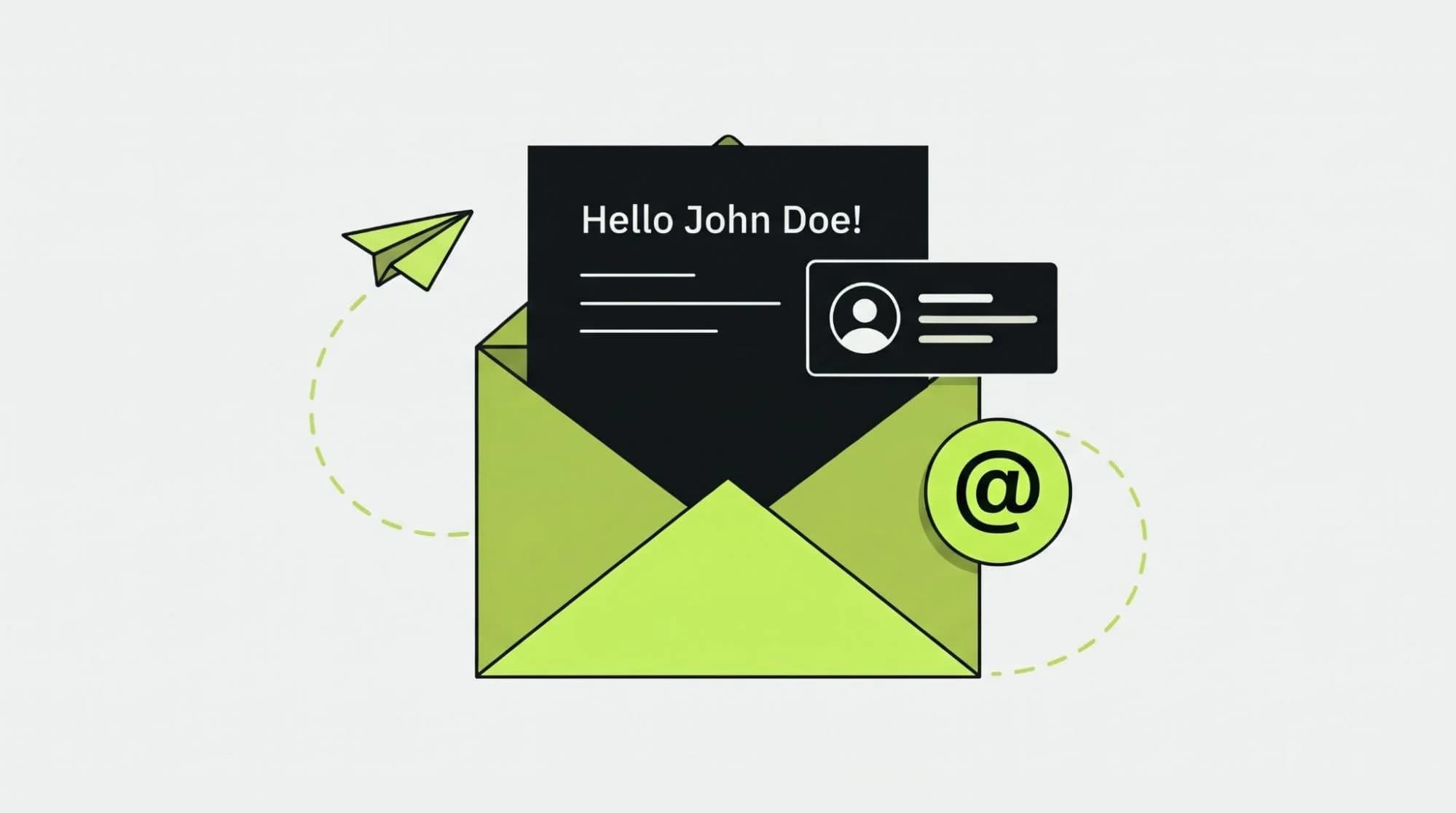
A customer browses running shoes, leaves without buying and later receives an email about winter coats. The message may include their first name, but it has little to do with what they need.
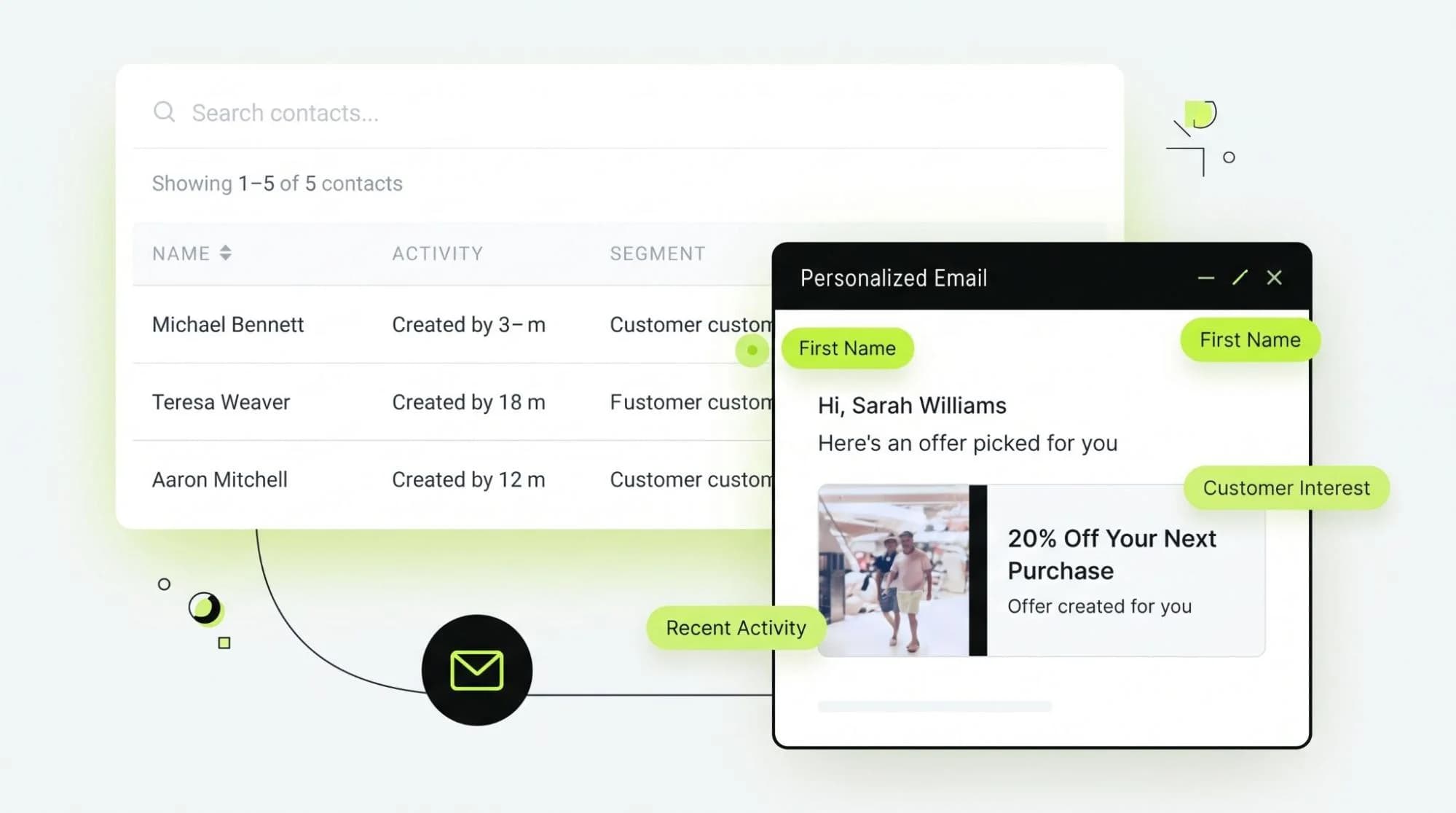
Email personalization software helps businesses make better use of the information customers share through purchases, browsing and other interactions. It can adjust an email’s content, product suggestions and timing to fit the person receiving it. Artificial intelligence (AI) adds another layer: it can find patterns in customer behavior and help decide what to send next.
The goal is a more useful customer journey. A new subscriber may need an introduction, while a returning customer may want product advice or help completing a purchase. Both should receive messages that make sense at that point in their relationship with the business.
What Is Email Personalization Software?
Email personalization software is a tool or platform that tailors emails using customer data. It may change the products shown, the offer, the message or the time an email arrives.
Basic email marketing lets a business create a message and send it to a list. Personalization uses information about each recipient to make that message more relevant. A customer profile might combine purchase history from a store, browsing activity from a website and engagement data from past emails.
Some platforms use fixed rules, such as “send this email after a purchase.” Others use AI to predict which content or next step may be useful. For example, a skincare store could send a new shopper a guide to choosing a product. A customer who recently bought a cleanser could instead receive instructions for using it and, later, suggestions for products that work with it.
Personalization can be simple or advanced. The useful question is whether it helps the customer, not how much data appears in the email.
How Email Personalization Software Works
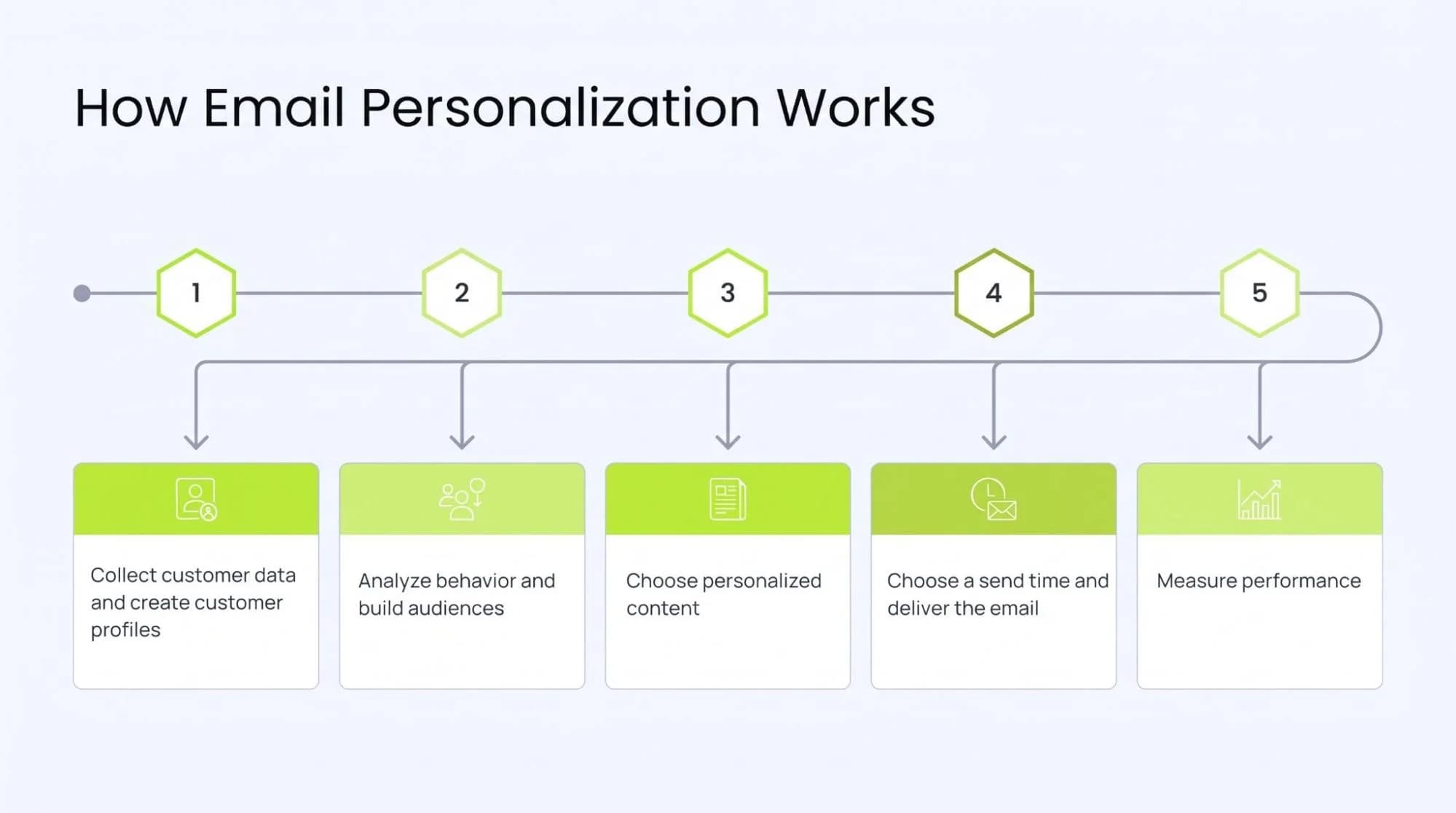
Most email personalization tools follow a cycle:
- 1Collect customer data. The platform receives information from sign-up forms, a website, an online store, a customer relationship management system (CRM) and email activity.
- 2Create customer profiles. It connects those interactions to a customer record, where the business has a reliable way to identify the person.
- 3Analyze behavior. The software looks at actions such as viewing a product, starting checkout or reading a guide.
- 4Build audiences. Customers enter groups based on interests, activity or lifecycle stage. These groups can update as behavior changes.
- 5Choose personalized content. The platform selects relevant copy, images, offers or product recommendations. Some tools can help draft content with generative AI.
- 6Choose a send time. A campaign may use a set schedule or a time suggested by past engagement.
- 7Deliver the email. The system checks the customer’s eligibility and sends the selected message.
- 8Measure performance. Marketers review actions such as clicks, purchases, unsubscribes and repeat orders.
- 9Improve the journey. The team adjusts content and rules, while some platforms use results to update future recommendations.
This process depends on accurate data and sensible controls. A platform cannot make a good recommendation if it has the wrong customer record or out-of-date product information.
Why Email Personalization Matters for Modern Marketing
People interact with a business in different ways before they buy. They may compare products on a website, read an email, add something to a cart and return days later. Each action offers a clue about what information could help them next.
Relevant emails can answer questions, suggest suitable products and avoid repeating messages a customer has already acted on. This supports customer engagement across the full journey, from a first visit to a repeat purchase.
Personalization also helps teams manage larger audiences. Marketers can design a useful set of messages for each stage, then let customer actions determine which path a person follows. That can reduce routine work while keeping the experience connected.
The value is not limited to sales. A well-timed setup guide, delivery update or renewal reminder can improve the experience after a purchase and support retention.
Traditional Email Automation vs. AI-Powered Personalization
Both approaches can be useful. The difference is how decisions are made and updated.
| Capability | Traditional email automation | AI-powered personalization |
|---|---|---|
| Workflow | Follows rules set by a marketer | Can use data patterns to help choose the next action |
| Segmentation | Often uses groups that a team defines and updates | Can update groups as new behavior comes in |
| Content | Uses templates and fields such as a name or location | Can select content or recommendations for smaller groups or individuals |
| Timing | Sends after a fixed delay or at a set time | May suggest a time based on past engagement |
| Optimization | Relies mainly on manual review and tests | Can use results to adjust selected decisions automatically |
| Customer journey | Usually follows planned branches | Can adapt within limits set by the team |
AI does not remove the need for rules or human review. Teams still need to set goals, check content, protect customer data and decide when an automated message should stop.
Key Features of Email Personalization Software
AI-Powered Customer Segmentation
Customer segmentation groups people with similar needs or behavior. AI can help identify patterns that are hard to spot by hand, such as customers who repeatedly browse a category but rarely click promotional emails. These groups give marketers a more useful starting point for their messages.
Dynamic Email Content
Dynamic email content changes parts of an email for different recipients. One person may see a beginner’s guide, while another sees care instructions for an item they own. This helps a team use one campaign design without sending everyone the same message.
Behavioral Personalization
Behavioral email personalization responds to actions. A customer who reads a pricing page may need answers about plans. Someone who has already purchased may need onboarding instead. The action provides context for the next email.
Predictive Analytics
Predictive analytics uses past data to estimate a possible future action, such as a likely repeat purchase or a drop in engagement. These are estimates, not facts about a customer. Marketers can use them to decide which journey to test or which customers may need attention.
Automated Customer Journeys
An automated journey connects emails to customer actions and stages. For example, a welcome series can end when a subscriber makes a purchase. The person can then enter a post-purchase journey instead of continuing to receive introductory offers.
Real-Time Personalization
Real-time customer personalization uses recent data to inform a decision. A new purchase could remove someone from an abandoned cart sequence. What counts as “real time” varies by platform, so buyers should check how quickly data moves between systems.
Personalized Product Recommendations
Recommendation tools use information such as purchase history, browsing and product relationships to choose items to show. Useful recommendations should reflect stock availability and the customer’s recent actions. A shopper who just bought a coffee maker may benefit from compatible filters more than another coffee maker.
Smart Send-Time Optimization
Send-time optimization looks for a time when a recipient is more likely to engage. It can help avoid sending every email at the same hour, though it should still respect time zones, message urgency and limits on how often a customer is contacted.
A/B Testing and Automated Optimization
A/B testing compares versions of an email, such as two subject lines or calls to action. Some platforms can select a version using early results. Teams should still check whether a test had enough data and whether the result supports the campaign’s actual goal.
Cross-Channel Integration
Email becomes more useful when it reflects activity on a website, in an app or through another customer channel. Integration can also prevent conflicting messages, such as an email urging a purchase after the customer has completed it.
Customer Lifecycle Automation
Lifecycle automation changes communication as a relationship develops. A lead may receive helpful information, a first-time buyer may receive setup advice and a long-time customer may receive a timely renewal reminder. This keeps the message tied to the customer’s current stage.
How AI Improves Email Personalization
AI can help teams work with more signals than they could review manually. Its role depends on the platform, the data available and the controls a business sets.
AI for Customer Segmentation
Machine learning can find shared patterns in purchases and engagement. Instead of relying only on broad groups such as “new customers,” a team may identify shoppers who prefer a certain category or content format.
AI for Personalized Content
Natural language processing helps software work with written language. Generative AI can help draft subject lines, summaries or email copy for different audiences. Marketers should review claims, tone and accuracy before sending, especially when content draws on product or account data.
AI for Product Recommendations
A personalization engine can compare customer activity with product information to suggest relevant items. Good recommendations also need practical filters. They should account for stock, compatibility and items the customer has already bought.
AI for Send-Time Optimization
AI can examine when a person has opened or clicked past emails and suggest a send time. It works best when there is enough reliable engagement data. For new subscribers, a sensible default may be more useful.
AI for Predictive Customer Behavior
Predictive models can estimate outcomes such as likely interest in a category or risk of disengagement. A team can use those estimates to test a helpful reminder or change the pace of a journey. Predictions should be checked against actual results.
AI for Journey Optimization
A journey can change when a customer takes a new action. If someone downloads a product guide and then requests a demo, the platform can move them from an educational sequence to follow-up that addresses the demo request.
AI for Automated Campaign Decisions
AI email automation brings these decisions into a workflow: when to send, which audience to include, what content to show and when to stop. For a broader look at this approach, see AI Email Automation. The most useful workflows act on current customer signals while keeping marketers in control of consent, message quality and campaign goals.
Email Personalization Use Cases
Welcome Emails
A new subscriber who joined through a product guide could receive related advice. Someone who joined through a store discount page may need an introduction to products and ordering. Both are welcome emails, but each starts with the person’s reason for signing up.
Abandoned Cart Emails
A cart reminder can show the items left behind and answer a common purchase question, such as delivery options. If the customer completes the order, the reminder should stop.
Post-Purchase Emails
A customer who buys a kitchen appliance may receive setup steps, care advice and support information. Later messages can reflect what they bought without rushing into another sales pitch.
Product Recommendation Emails
A bookstore can suggest titles in a genre a customer browses often. Recommendations can also account for books they already purchased, so the email offers something new.
Re-Engagement Campaigns
When a subscriber has not engaged for some time, a business can ask whether they still want updates or offer a choice of topics. If they remain inactive, the business can reduce or stop marketing emails.
Loyalty Emails
A returning customer may receive a reminder of available loyalty benefits or an update on a reward they can use. The message should reflect their actual account status.
Cross-Sell and Upsell Emails
A customer who buys a camera could receive information about a compatible memory card. An upgrade offer may make sense later if their usage shows a need for more capacity or features.
Promotional Campaigns
A store can show different sale categories based on stated preferences or recent browsing. Customers should still be able to understand the offer and its terms clearly.
Customer Lifecycle Campaigns
A subscription service might send setup help to a new member, usage tips to an active member and a renewal reminder when the date approaches. Each email serves a different point in the journey.
Lead Nurturing Emails
A person researching business software may first need a clear explanation of the problem it solves. Someone who has requested pricing may need plan details or a product demonstration.
How to Build an AI-Powered Personalized Email Journey
Step 1: Define Customer Segments
Start with a few useful groups, such as new leads, first-time buyers and repeat customers. Give each group a clear need and a goal for the journey.
Step 2: Collect First-Party Data
Use information customers share directly with your business, such as sign-up choices, purchases and activity on your site. Explain what you collect and respect their communication preferences.
Step 3: Create Unified Customer Profiles
Connect relevant records from your store, CRM and email platform. Check that purchases and actions are matched to the right person before using them to personalize messages.
Step 4: Identify Behavioral Signals
Choose actions that suggest a useful next step. Viewing a help article, leaving a cart and completing an order each call for a different response.
Step 5: Create Personalized Content
Write content for the customer’s need at each stage. Build reusable sections for product details, helpful guides and calls to action. Keep the copy clear even when a recommendation is added automatically.
Step 6: Set Behavioral Triggers
Decide what starts and stops each sequence. Add checks that prevent duplicate, outdated or conflicting emails.
Step 7: Apply AI and Predictive Analytics
Use AI where it improves a specific decision, such as selecting recommendations or testing send times. Set limits for content, frequency and eligibility.
Step 8: Test and Optimize
Test the journey with real scenarios before launch. Afterward, compare meaningful versions and review both customer responses and errors.
Step 9: Measure Results
Choose measures that fit the goal. A welcome guide may aim for useful engagement, while a cart reminder may be measured by completed purchases. Review the full journey, not just one email.
What Data Does Email Personalization Software Use?
Different journeys need different data. Common inputs include:
| Data type | How it can help |
|---|---|
| Demographic information | Adapt language, location details or relevant offers where appropriate |
| Purchase history | Provide care advice and avoid recommending items already bought |
| Browsing behavior | Show interest in a product or topic |
| Email engagement | Reveal which messages a person responds to |
| Website activity | Connect content viewed with a useful next step |
| Cart activity | Identify an unfinished purchase |
| Product preferences | Reflect choices a customer has stated directly |
| Lifecycle stage | Separate new leads from established customers |
| Cross-channel interactions | Keep email in step with app, web or support activity |
| Real-time behavioral signals | Stop or update a message after a recent action |
Accurate first-party data matters more than collecting every possible detail. Businesses should know where the data came from, keep it current, honor consent and limit access to people and systems that need it. These practices also help avoid emails that feel intrusive or simply get the facts wrong.
Benefits of Email Personalization Software
When the data and journey are well designed, personalization can help a business:
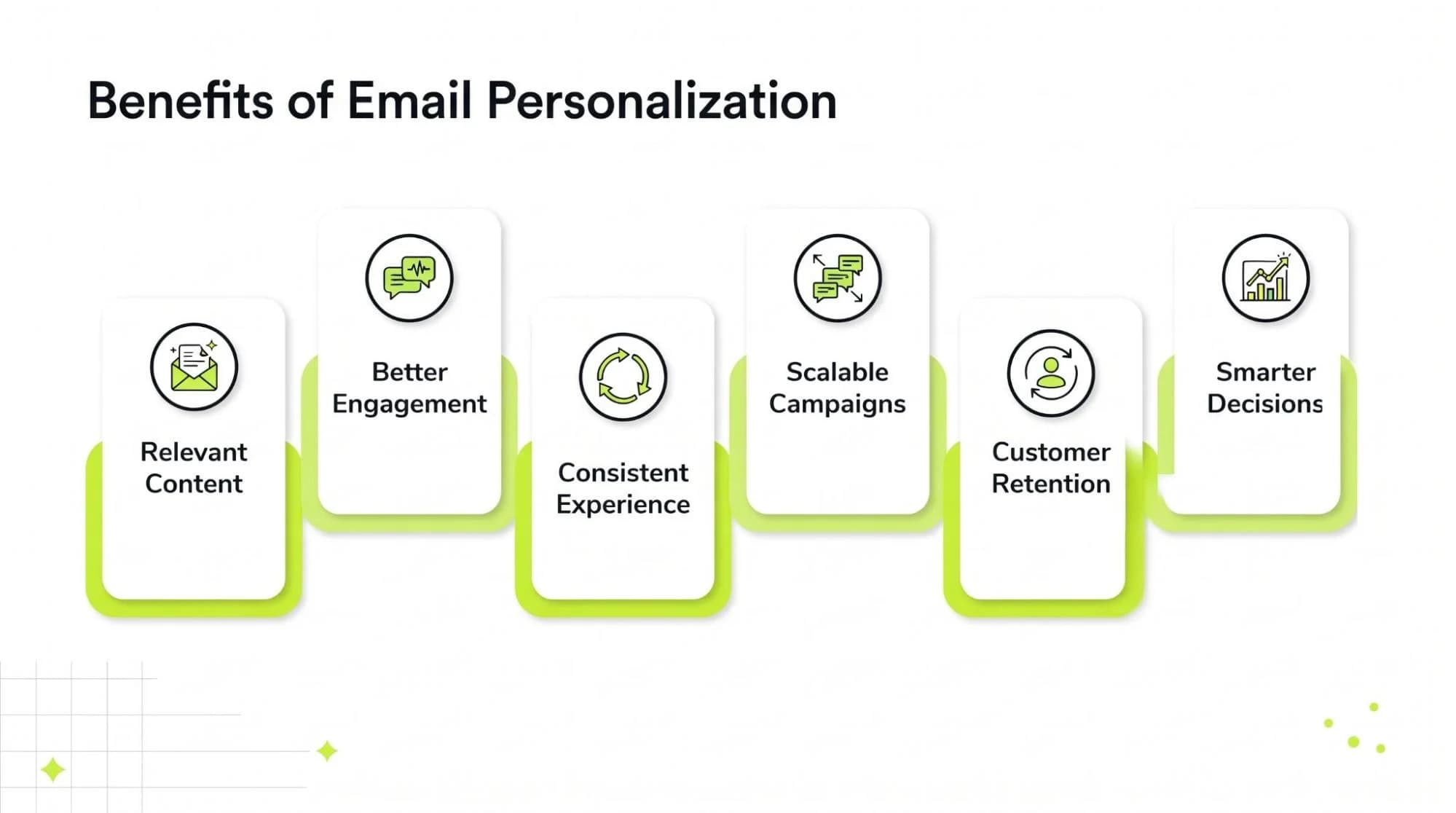
- Send information that matches a customer’s current need.
- Make emails more useful and easier to act on.
- Provide a more consistent experience from one stage to the next.
- Run tailored campaigns across a larger audience.
- Reduce manual work on routine sorting and message selection.
- Support repeat purchases and customer retention.
- Find relevant opportunities to help a customer decide.
- Use campaign results to improve future decisions.
Results depend on the audience, the offer and how well the program is managed. Personalization alone cannot make an unclear message or poor customer experience work.
How to Choose Email Personalization Software
Use your customer journey and existing systems as the starting point. A small team with a few clear workflows may need a different tool from a business coordinating a store, app and sales team.
AI and Personalization Capabilities
Ask which decisions the software can actually adapt. Does it personalize content, recommendations, timing and journey paths, or only subject lines?
Data and CRM Integrations
Check connections to your store, CRM, website and support systems. If the platform uses an application programming interface (API), find out what setup and maintenance it requires.
Automation Features
Build a sample journey. Check whether it can start, pause and stop based on customer actions and whether the team can review those rules easily.
Customer Segmentation
Look at how audiences are created and updated. Useful email segmentation software should make it clear why someone enters or leaves a group.
Real-Time Data Processing
Ask how long it takes for a purchase or other action to affect the next email. Test this with a real scenario, since “real time” may mean different things across tools.
Analytics and Reporting
Make sure reports connect email activity to the outcomes you care about. Check how the platform defines conversions and attributes revenue.
Omnichannel Capabilities
If you use SMS, an app or other channels, see whether the software can coordinate messages across them. A business focused only on email may not need a broad customer engagement platform.
Scalability
Consider contact volume, product catalog size, number of journeys and team access. Check how the platform handles growth and what changes in its pricing.
Ease of Use
Ask the people who will run campaigns to test the editor, journey builder and reporting tools. A feature has limited value if the team cannot use it reliably.
Privacy and Data Controls
Review consent handling, unsubscribe controls, data access, retention settings and the ability to correct or remove records.
Pricing and Business Requirements
Compare total costs, including contact limits, email volume, integrations, setup and support. Choose the capabilities that serve your current goals and likely next steps. No single platform is the right fit for every business.
Email Personalization Software vs. Email Marketing Software
Software categories overlap, so product labels alone may not tell you what a tool can do.
| Software type | Main purpose |
|---|---|
| Basic email marketing platform | Create, send and report on email campaigns |
| Email automation platform | Send messages through scheduled workflows and action-based triggers |
| Email personalization platform | Adapt content, audiences or timing using customer data |
| Customer engagement platform | Coordinate communication across email and other customer channels |
| Customer data platform | Collect and organize customer data from multiple sources for use in other systems |
One product may cover several of these jobs. A customer data platform, for example, can help build a unified profile but may rely on another tool to deliver email. Evaluate the features and integrations you need rather than choosing by category name.
Measuring Email Personalization Performance
Track measures that match each campaign’s purpose:
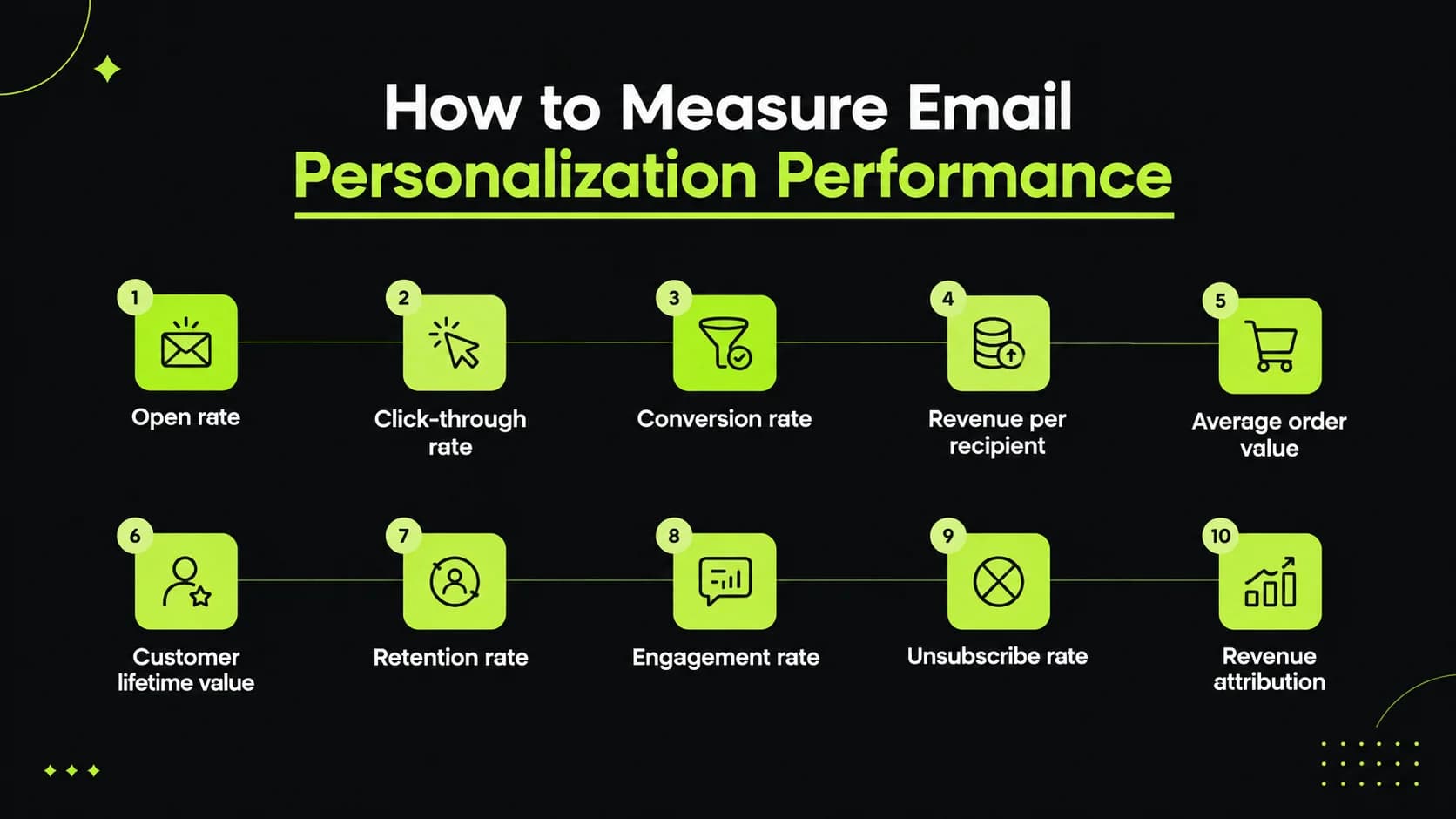
- Open rate: The share of delivered emails reported as opened. Treat it as a rough signal because open tracking can be affected by email privacy features.
- Click-through rate: The share of recipients who click a link.
- Conversion rate: The share who complete a defined action, such as a purchase or demo request.
- Revenue per recipient: Revenue attributed to a campaign divided by recipients.
- Average order value: The average value of an order.
- Customer lifetime value: An estimate of a customer’s value over the relationship.
- Retention rate: The share of customers who remain active over a set period.
- Engagement rate: A measure based on the meaningful actions your team defines.
- Unsubscribe rate: The share of recipients who opt out.
- Revenue attribution: The method used to connect purchases to marketing activity.
A welcome email, a product tip and an abandoned cart reminder serve different purposes. Judge each against its goal and customer journey stage. Look at longer-term effects too: a campaign that earns clicks but drives unsubscribes may need a different message or frequency.
Common Email Personalization Mistakes to Avoid
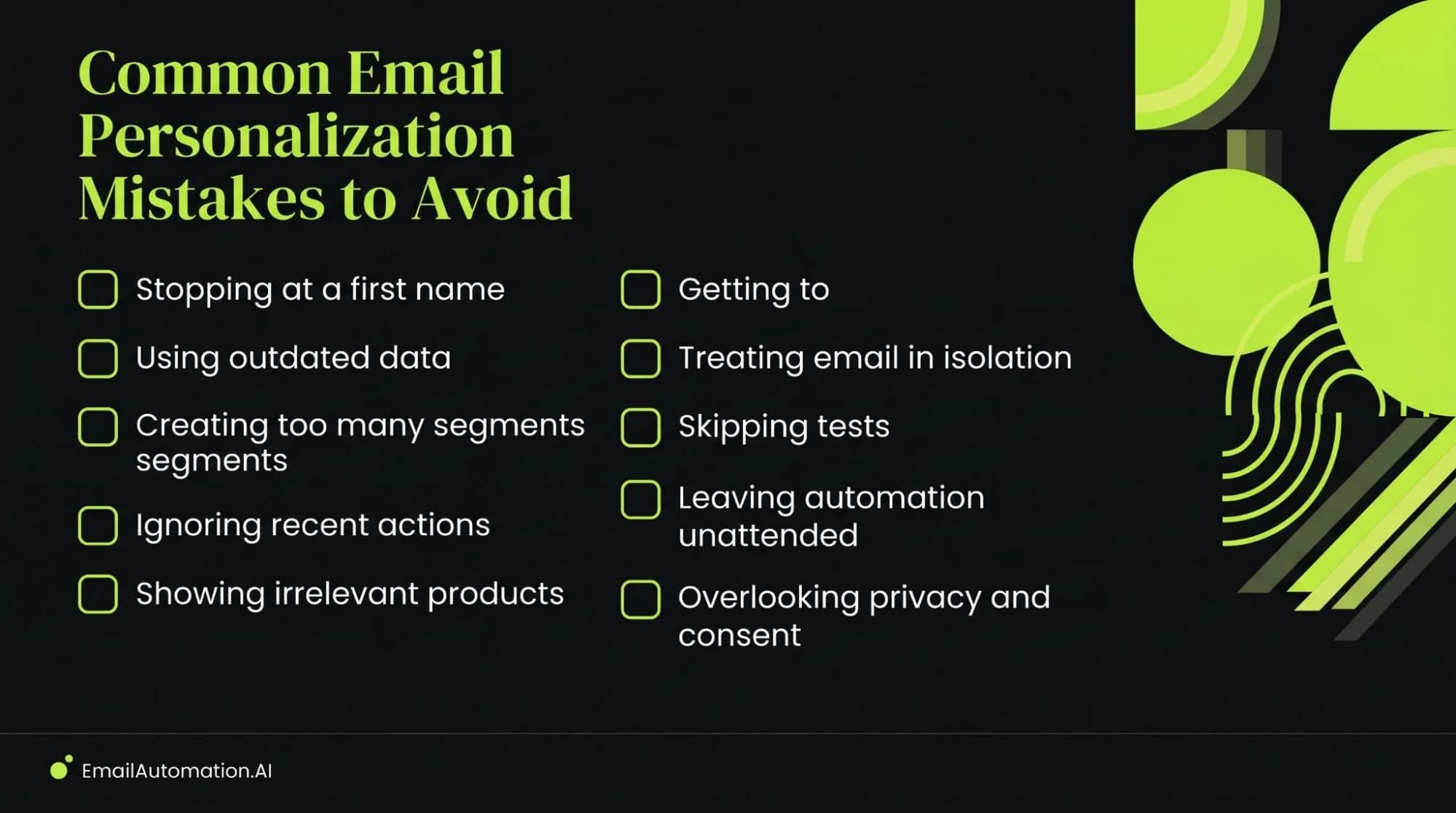
- Stopping at a first name. Use behavior and customer needs to shape the message.
- Using outdated data. Check purchases, stock and account status before sending.
- Creating too many segments. Start with groups your team can explain and serve well.
- Ignoring recent actions. Update or stop a journey when the customer moves on.
- Showing irrelevant products. Apply rules for compatibility, availability and past purchases.
- Getting too personal. Use data in ways customers would reasonably expect.
- Treating email in isolation. Consider recent website, app and support interactions.
- Skipping tests. Check content, links, triggers and customer paths.
- Leaving automation unattended. Review performance and errors regularly.
- Overlooking privacy and consent. Keep customer choices at the center of the program.
The Future of AI-Powered Email Personalization
Personalization tools are developing beyond fixed campaigns. Predictive email personalization may help teams choose a useful next message before a customer takes an expected action. Faster data connections may allow journeys to respond more quickly to purchases, support requests and changes in interest.
Generative AI may make it easier to create and adapt content, while AI agents may take on more of the work of building or adjusting workflows within limits set by marketers. Conversational email experiences could also give customers more direct ways to ask questions or state preferences.
These are emerging capabilities, and their value will depend on how they are built and used. Teams will still need accurate data, clear goals, human review and respect for customer choices.
Build Smarter Customer Journeys With AI-Powered Personalization
Good email personalization starts with a clear understanding of the customer’s journey. Customer data shows what has happened. Automation responds to useful actions. AI can help choose content, timing and next steps as new signals come in.
Review the emails you send today. Find one point where customers receive the same message despite having different needs, then test a more relevant path. As you evaluate email personalization software, look for tools that make that improvement practical to build, measure and maintain.
Frequently Asked Questions
What is email personalization software?
It is software that tailors email content, timing or journeys using customer information and behavior.
How does AI personalize emails?
AI finds patterns in customer data and can help select audiences, content, recommendations, timing or the next step in a journey.
What is AI email automation?
AI email automation uses AI to help make decisions within automated email workflows. For example, it may update a segment or select a message based on a customer’s recent actions.
What features should email personalization software have?
Look for customer data integrations, useful segmentation, dynamic content, behavioral triggers, reporting and controls for consent. The right AI features depend on your goals.
What data is needed for email personalization?
Common inputs include stated preferences, purchase history, website activity and email engagement. Start with reliable data that serves a clear purpose.
What is the difference between email automation and personalization?
Automation determines when and how a message is sent. Personalization changes the message or experience to fit the recipient. A campaign can use both.
Can AI personalize emails in real time?
Some platforms can act quickly on new data, such as a purchase or cart update. The speed depends on the platform and its integrations.
How does email personalization improve customer journeys?
It helps each message reflect what the customer has done and what they may need next. It can also prevent messages that no longer apply.
Is email personalization useful for ecommerce?
Yes. Ecommerce businesses can use purchase, browsing and cart data for relevant reminders, product guidance and post-purchase support.
How do you choose email personalization software?
Map the journeys you want to build, then test tools against your data sources, automation needs, reporting goals, privacy controls, team skills and budget.
Ready to build smarter customer journeys?
Talk to AI Email Automation about personalized, behavior-driven email campaigns.